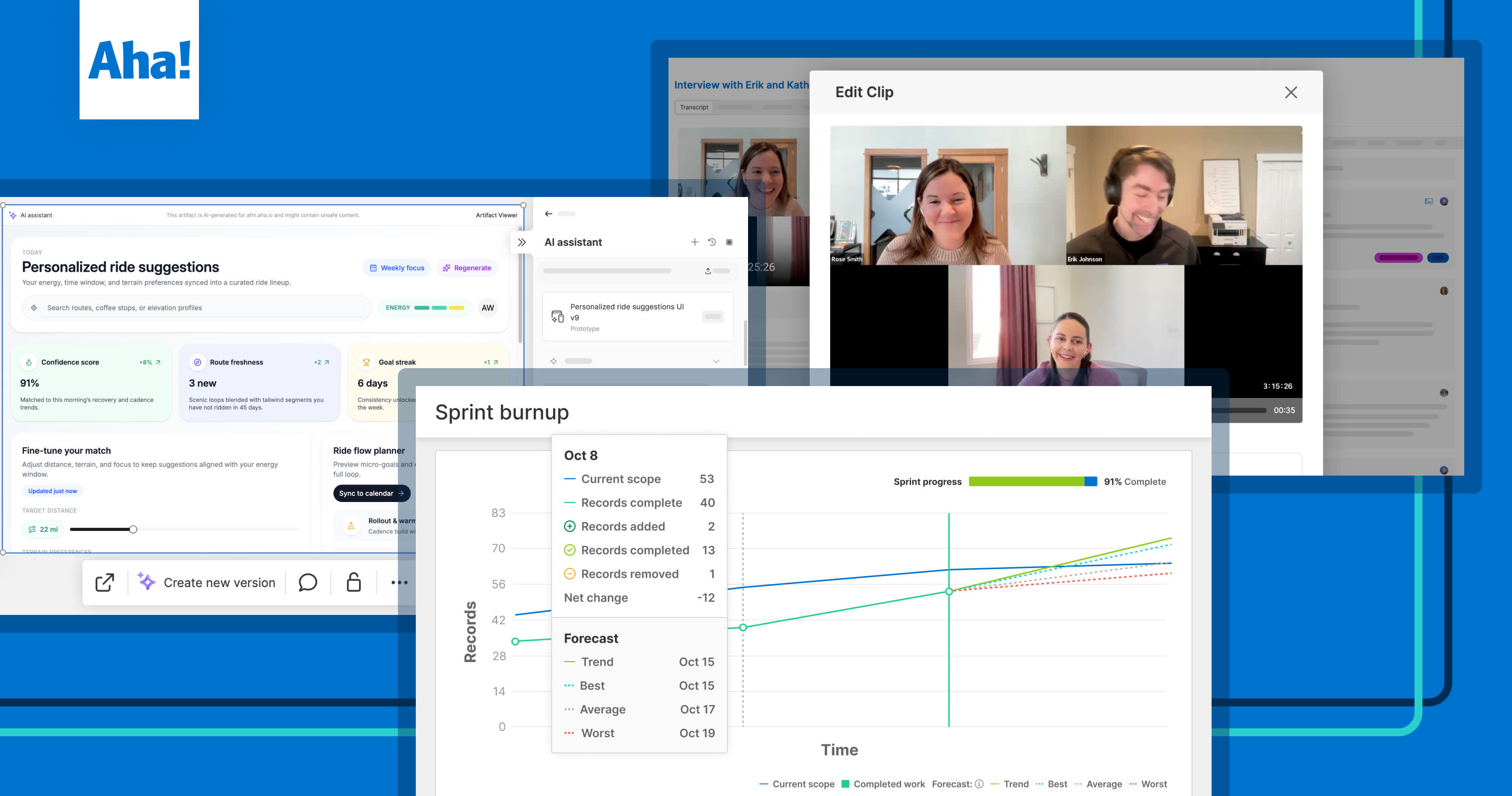
A snapshot of the top Aha! features launched in Q4 2025
Most popular new Aha! features launched in Q4 2025


2025 has been a transformative year for product development. The pace of change continues to accelerate thanks to AI — giving way to new expectations and workflow options for product teams. All year long, we went boldly to give you everything you need to understand what customers actually want and deliver it faster. And we kept that momentum going in Q4.
We delivered powerful new capabilities in Q4 to help you go from research to roadmap with AI-powered analysis, flexible planning tools, and real-time delivery insights.
Our AI assistant keeps getting smarter. This quarter, we added support for image generation, included more advanced prototypes, and made every interaction faster. We also hosted live tutorials to share best practices for using AI in every stage of product development — from research to strategic planning to prototyping. Those recordings are available to watch anytime.
We were also honored to receive an award from Best in Biz Awards for Best New Enterprise Product of the Year for Aha! Discovery. Helping you act on customer insights has been a major focus this year. And Q4 was no exception. New AI-powered functionality now makes it easier to turn any recorded conversation (from Zoom, Microsoft Teams, Gong, or other sources) into clear, actionable findings.
Of course, we delivered enhancements across the rest of the Aha! suite, too. Features like mind maps, interactive wireframes, scenario planning, and workflow heatmaps give you more visibility into your work and where to improve.
Keep reading for all the Q4 highlights, or jump to the sections you care about most:
New in Aha! Roadmaps
Product plans evolve. You need adaptable tools to communicate changes clearly and collaborate with confidence. Here is what we added this quarter:
Embed AI-generated prototypes in your plans: Add interactive prototypes created with the AI assistant directly to features, notes, and whiteboards. Share early concepts with the team and iterate faster — all in one place.
Explore different planning scenarios: Create alternate versions of your Gantt chart or strategic roadmap to explore how changes in timing, scope, or priorities affect the plan. Review scenarios with stakeholders, then apply updates once you are ready.
Format content with ease: Use new enhancements in the text editor to apply consistent formatting across your documentation. Updates include additional toolbar options, improved styling, and faster ways to format tables.
New in Aha! Discovery
Uncovering customer insights takes time, but AI can speed things up. Recent enhancements make it easier to centralize research, schedule interviews, and analyze findings at scale.
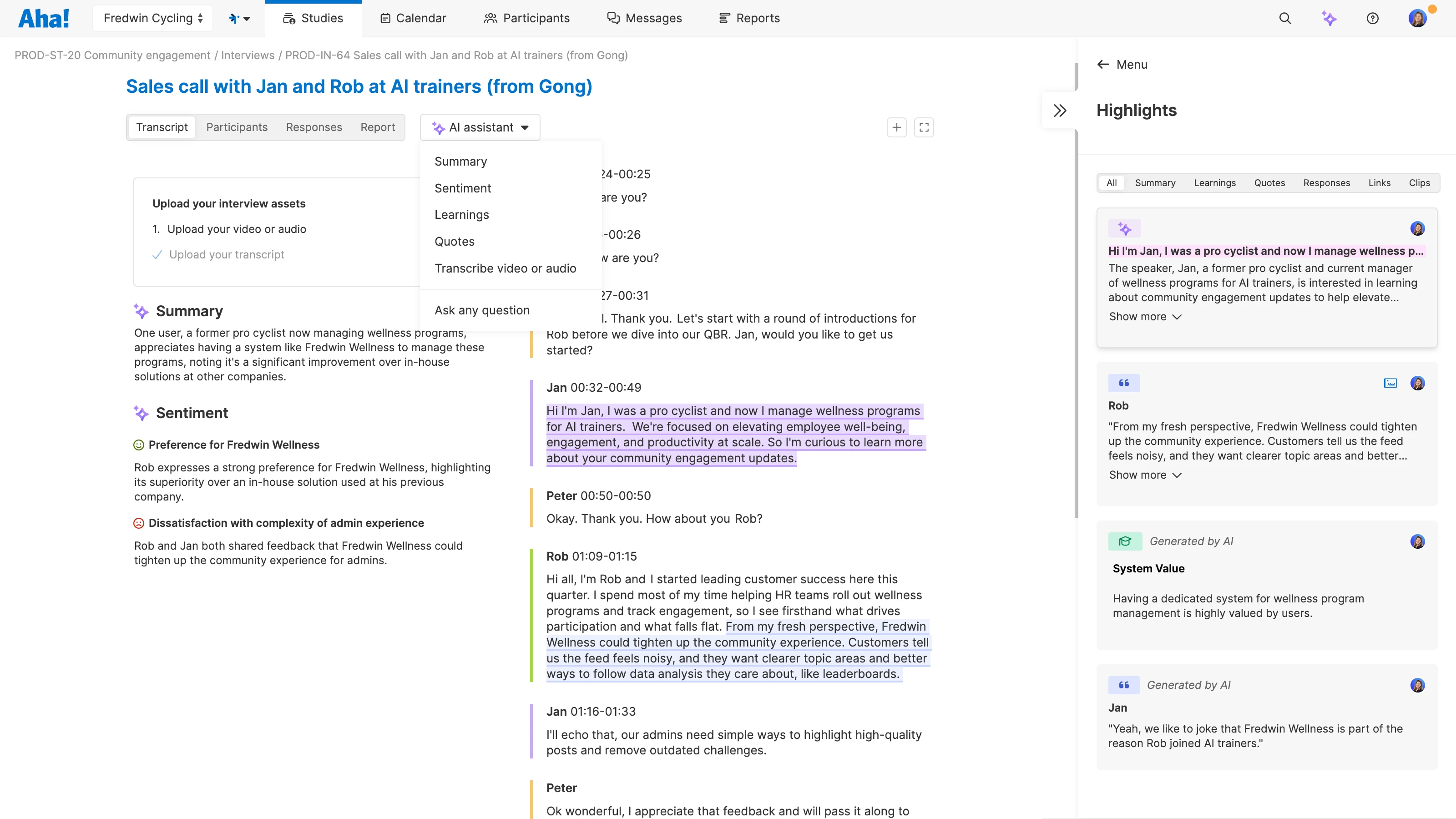
Centralize all your research files: Upload transcripts, PDFs, and other research documents — including Gong recordings — directly to a study. Then, use the AI assistant to identify insights you can link to your roadmap.
Automate interview scheduling: Sync your Google Calendar or Microsoft Outlook calendar so participants can book available time slots. Reduce back-and-forth and keep research moving forward.
Analyze customer conversations with AI: Upload any audio or video file for transcription in 100+ languages. Use the AI assistant to surface key takeaways and create short clips that highlight what customers really said.
New in Aha! Ideas
Customer feedback fuels great product decisions, but only if you can capture and act on it efficiently. These Q4 updates help you collect feedback from more sources and streamline the review process.
Collect feedback from more tools: Set up new feedback webhooks in Aha! Ideas Advanced to automatically detect product requests in systems like Freshdesk, Gainsight, and HubSpot. You can also submit ideas from any webpage using the new Chrome extension (available to all Aha! Ideas customers).
Give sales and support full visibility: The enhanced Salesforce integration now shows all submitted feedback — no matter where it came from. Teams can view requests from portals, emails, or integrations in one place, improving visibility and follow-up.
Control how customers engage with ideas: Use advanced feedback rules to set when customers can vote or comment on ideas based on status. This helps keep your ideas portal focused and reduces duplicate requests.
New in Aha! Whiteboards
Early-stage planning gets even better with new ways to visualize concepts and communicate user flows. Recent enhancements help you explore ideas and share interactive diagrams with ease.
Build richer process diagrams: Use five new diagram shapes to map out user flows, cross-team processes, and decision points. Add connectors, apply a color scheme, and keep diagrams organized as you refine your thinking.
Create interactive wireframes: Turn static wireframes into clickable prototypes using whiteboards. Link shapes together to illustrate user journeys and gather feedback — all from a single canvas (available in Aha! Whiteboards Advanced).
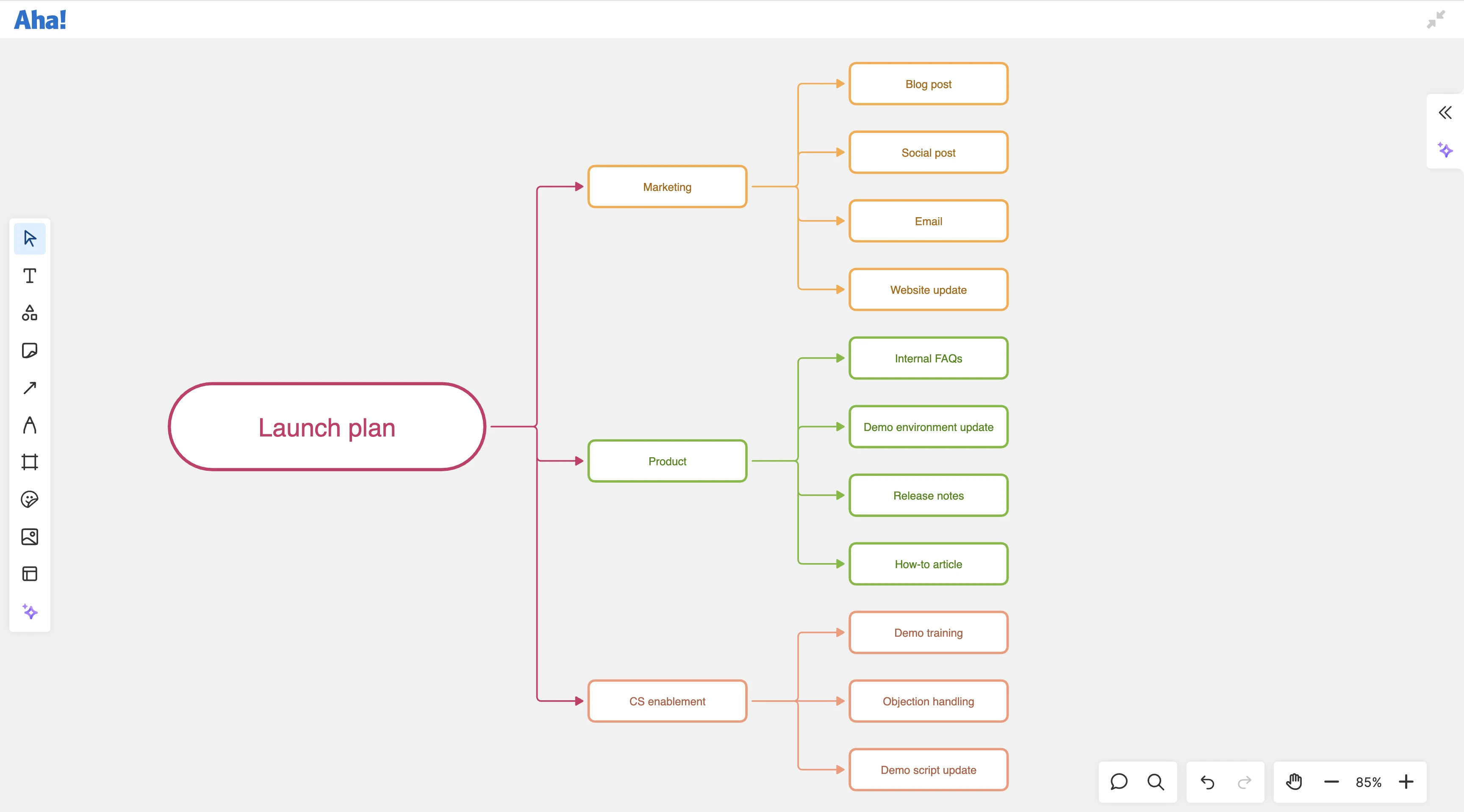
Organize ideas with a mind map: Start with a central topic, branch out key themes, and automatically arrange content as your thinking evolves. The new mind map tool makes it easy to structure complex concepts and connect related ideas visually.
New in Aha! Knowledge
Customer feedback is just as important for documentation as it is for product features. This update helps you understand what works — and what to improve.
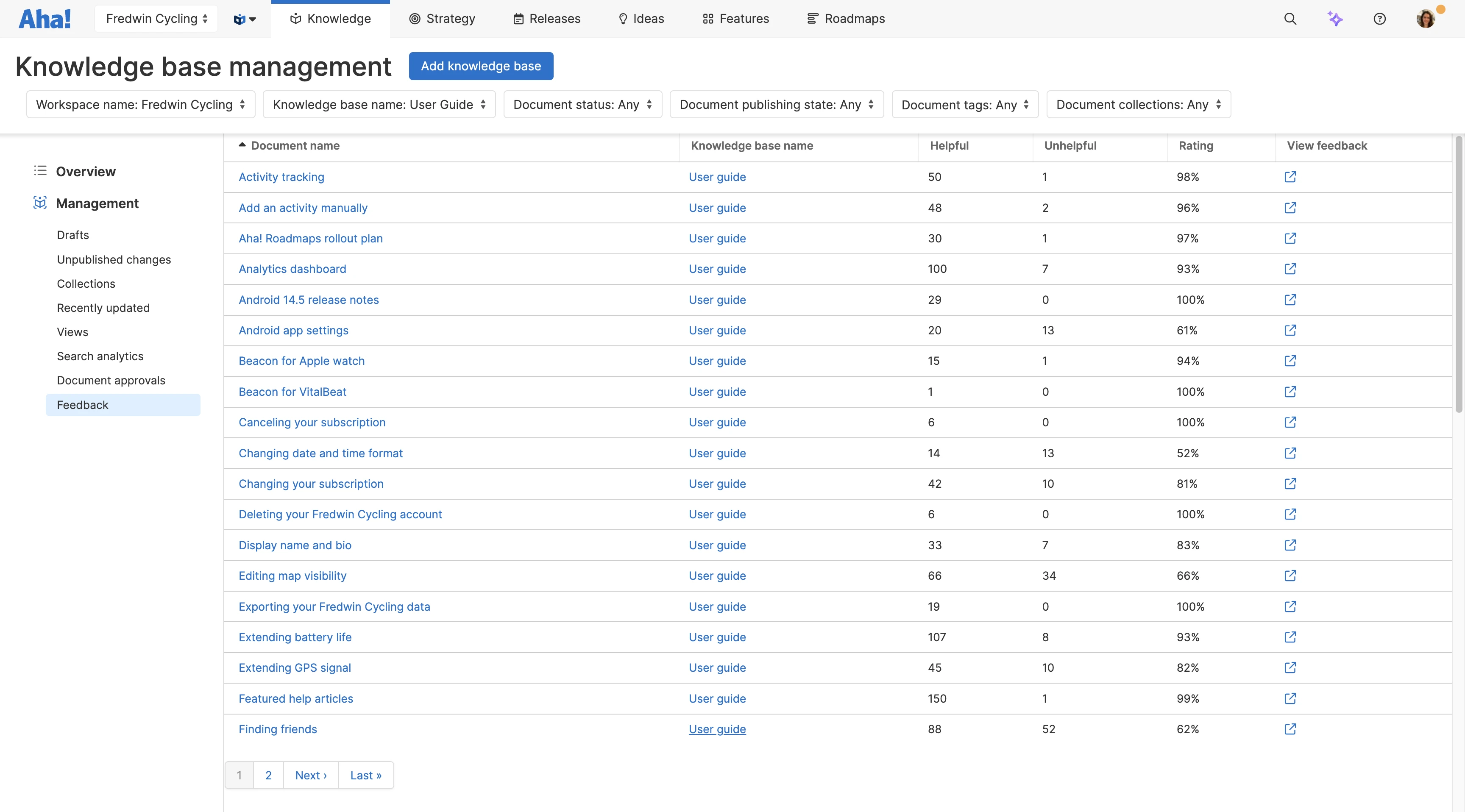
Collect feedback on knowledge base articles: Let readers rate articles and leave comments to share what was helpful (or not). Use this input to identify gaps, refine content, and ensure your documentation delivers value.
New in Aha! Teamwork and Aha! Develop
Accurate planning requires visibility into what slows teams down and when work is at risk. These new reports help you track scope changes and pinpoint bottlenecks in your process.
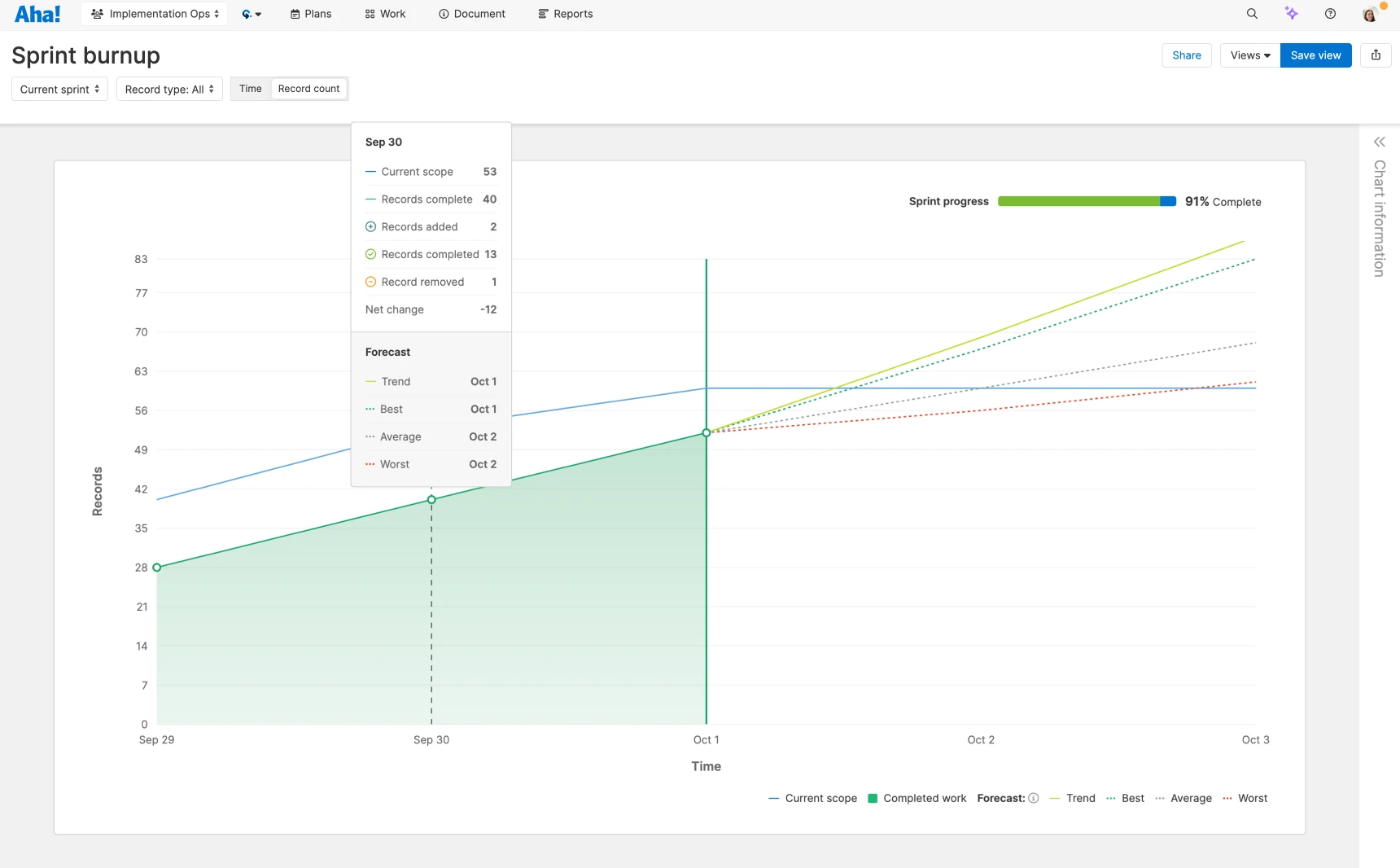
Track delivery progress with burnup charts: Visualize completed work against total scope to see how changes impact progress. Use the new burnup chart to forecast when you will actually finish the work, even as scope evolves.
Identify bottlenecks with a workflow heatmap: See how long work spends in each stage of your workflow. The new workflow heatmap highlights where delays occur, so you can take action to keep delivery on track.
Turn customer feedback into meaningful product decisions and move faster from insight to execution.
Aha! software is built to help you deeply understand what customers need and act on it — all in one place. With smarter workflows and an AI assistant that accelerates analysis, it is easier than ever to build with clarity. Keep sharing your ideas. We will keep delivering what you need next.
Start a free trial today
These new features are now available to Aha! customers. Our suite of tools includes Aha! Roadmaps, Aha! Discovery, Aha! Ideas, Aha! Whiteboards, Aha! Knowledge, Aha! Teamwork, and Aha! Develop. Use each product individually or combined to help teams deliver even greater value. Sign up for a free 30-day trial or join a live demo to see why more than 1 million product builders trust our software to build lovable products and be happy doing it.