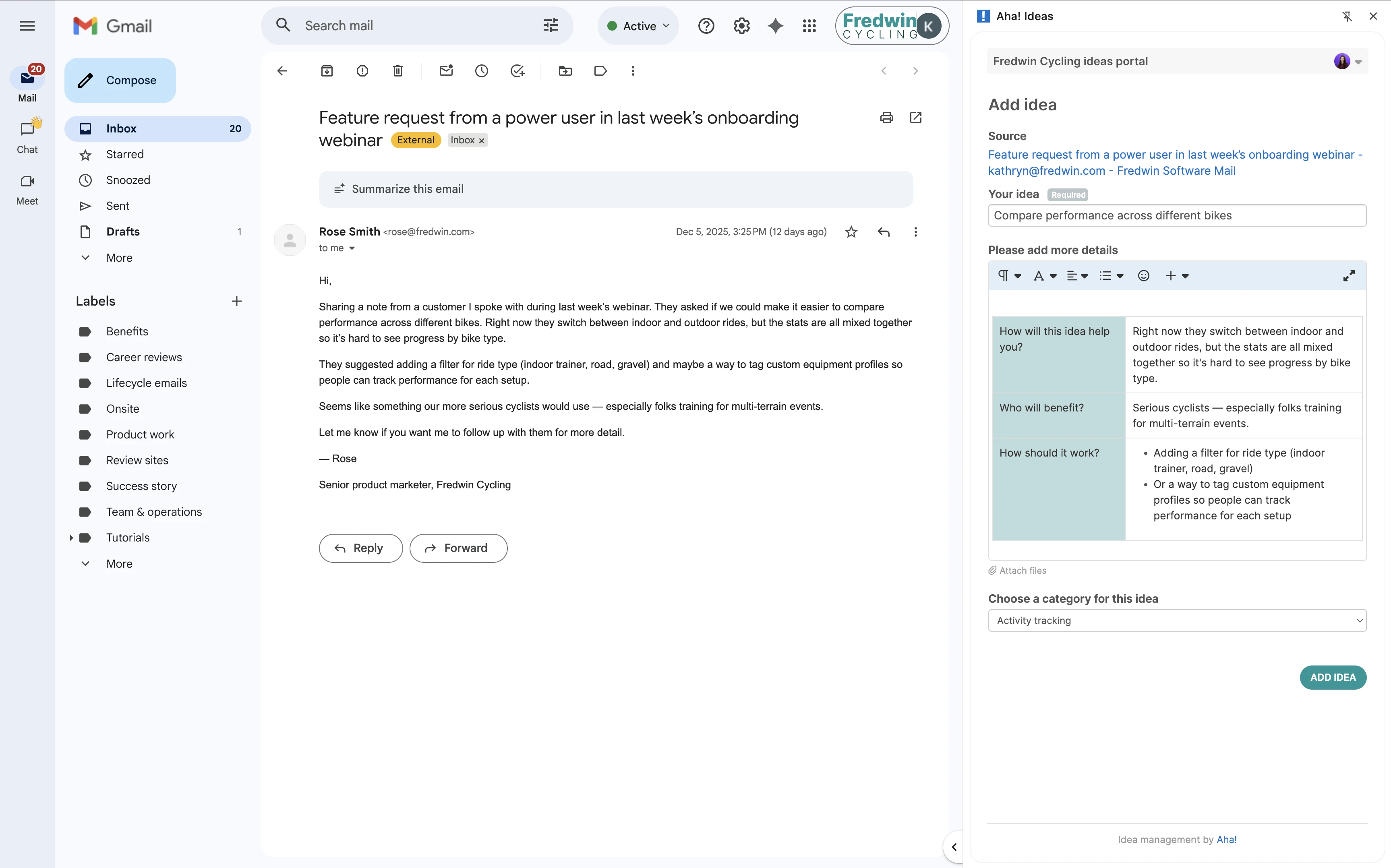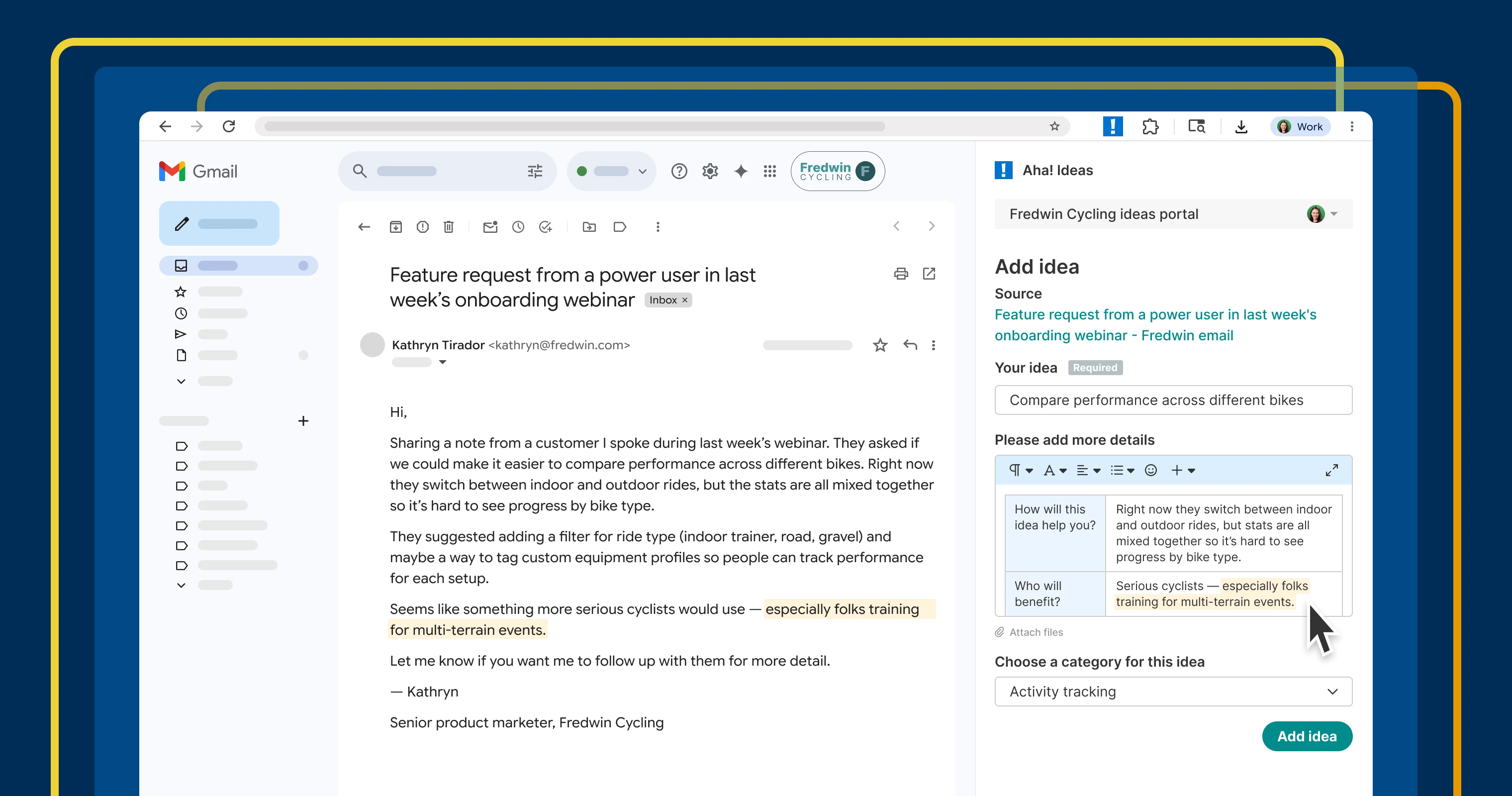
Submit an idea from any webpage with the Aha! Ideas Chrome extension.
Capture product feedback in Aha! Ideas with the new Chrome extension


Inspiration can strike anywhere — while reading a customer email, reviewing a support ticket, or scanning an industry article. But it is easy to think, "I will go back to that later" when you are busy (and then never do). Those missed moments add up over time, and your product team loses valuable insight. You need a simple way to submit ideas to your portal without breaking focus.
Use the new Chrome extension for Aha! Ideas to quickly log product suggestions from any webpage — so you can keep feedback in one place.
Capture ideas right where you are
Valuable product input arrives through many channels. Aha! Ideas helps you bring all that feedback into one place — whether it is captured directly in your ideas portal, Salesforce, Zendesk, or another tool. But what about those moments when you personally spot something worth noting? Moving that over to your portal takes time and breaks your flow.
The new Aha! Ideas Chrome extension removes that friction. Use it to capture feedback right from your browser. The idea form opens immediately, making it easy to capture the details. Once submitted, the information flows directly into your portal. You can then review and analyze it alongside the rest of your feedback.
Here is what you can do:
Add ideas from anywhere: Open the extension from your browser's toolbar to submit feedback from any webpage.
Capture key details: Use your portal's existing custom idea form to keep submissions consistent.
Add helpful context: Include text and screenshots from the page you are viewing, along with the page URL.
Collect more feedback: Make it simple for you and your teammates to submit ideas without friction.
You will appreciate how quickly you can turn passing observations into structured product input — all from the same browser window you already work in.
The new Chrome extension is now available for all Aha! Ideas customers, whether you are using Ideas Essentials as a standalone product or as part of Aha! Roadmaps.
Let us show you:
How to get started
Install the Aha! Ideas extension from the Chrome Web Store.
Pin it to your browser's toolbar for easy access.
Launch the extension on any webpage and enter your portal URL to connect.
Fill out the idea form — including text, screenshots, and any required fields.
Submit to log the idea with a link back to the original page.
📚 For more details, read the full support article.
Get a complete view of customer needs when you review ideas from the extension alongside feedback from every other channel. With everything in one place, it is easier to identify the most valuable opportunities and ensure the right work makes it onto your roadmap.
Start a free trial of Aha! Ideas
Aha! Ideas is the best way to crowdsource feedback, engage your community, and prioritize what drives revenue. It also includes everything in Aha! Whiteboards Essentials and Aha! Knowledge Essentials to provide a comprehensive idea management solution. Sign up for a free 30-day trial of Aha! Roadmaps if you are interested in bringing together idea management and detailed planning. Or join a live demo to see why more than 1 million product builders trust our software to build lovable products and be happy doing it.