Filter the participant database in Aha! Discovery by relevant ideas and polls.
Invite customers who submit product ideas to research studies


It takes time to find the right people for product discovery work. You likely sift through emails, ping customer-facing colleagues for recommendations, or manually look up feedback submitted to your ideas portal. And even when you do connect with engaged customers, staying in touch after the conversation becomes its own challenge — especially when new ideas emerge from what they share.
Filter your participant database in Aha! Discovery by a specific idea or feedback poll to quickly find and engage the right customers in your product research.
Recruit research participants from ideas and polls
Aha! Discovery gives your team a central hub for research — including a participant database to simplify outreach and track the contacts you meet with. You could already add ideas portal users as participants. Now, you can be more targeted in your outreach by using ideas and poll data to interview customers who care about your research study.
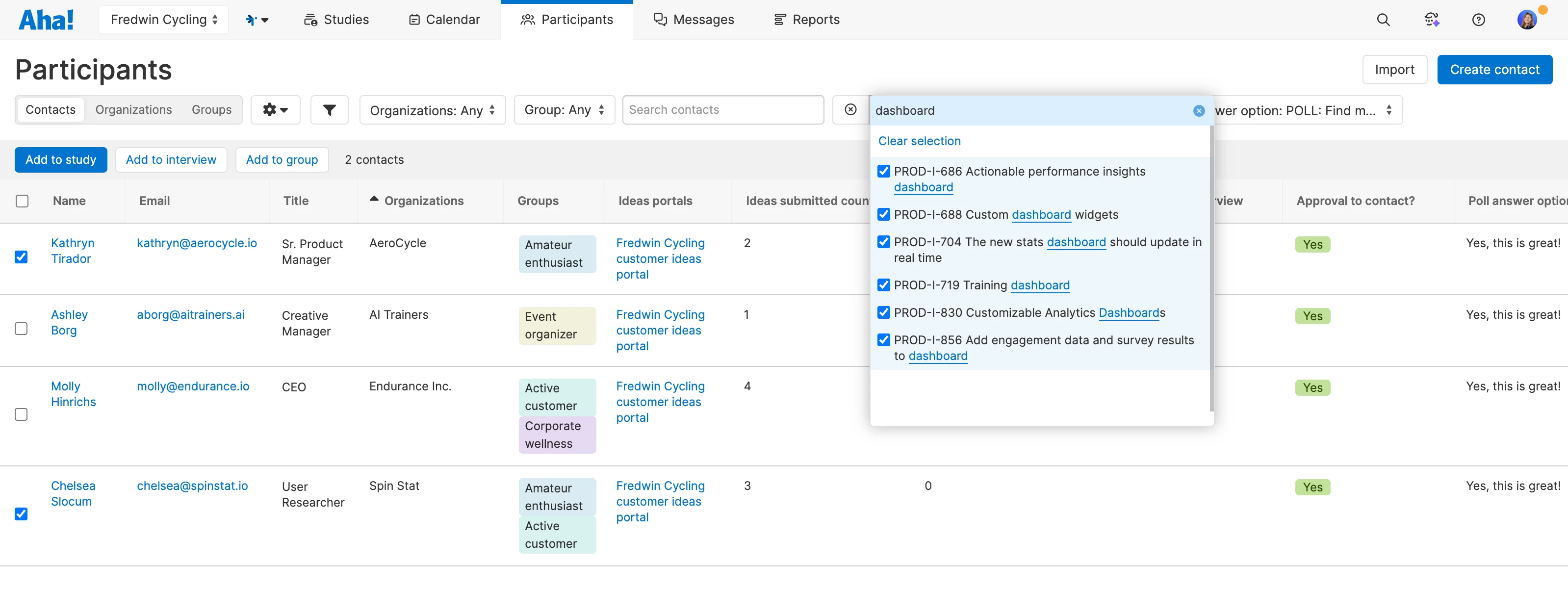
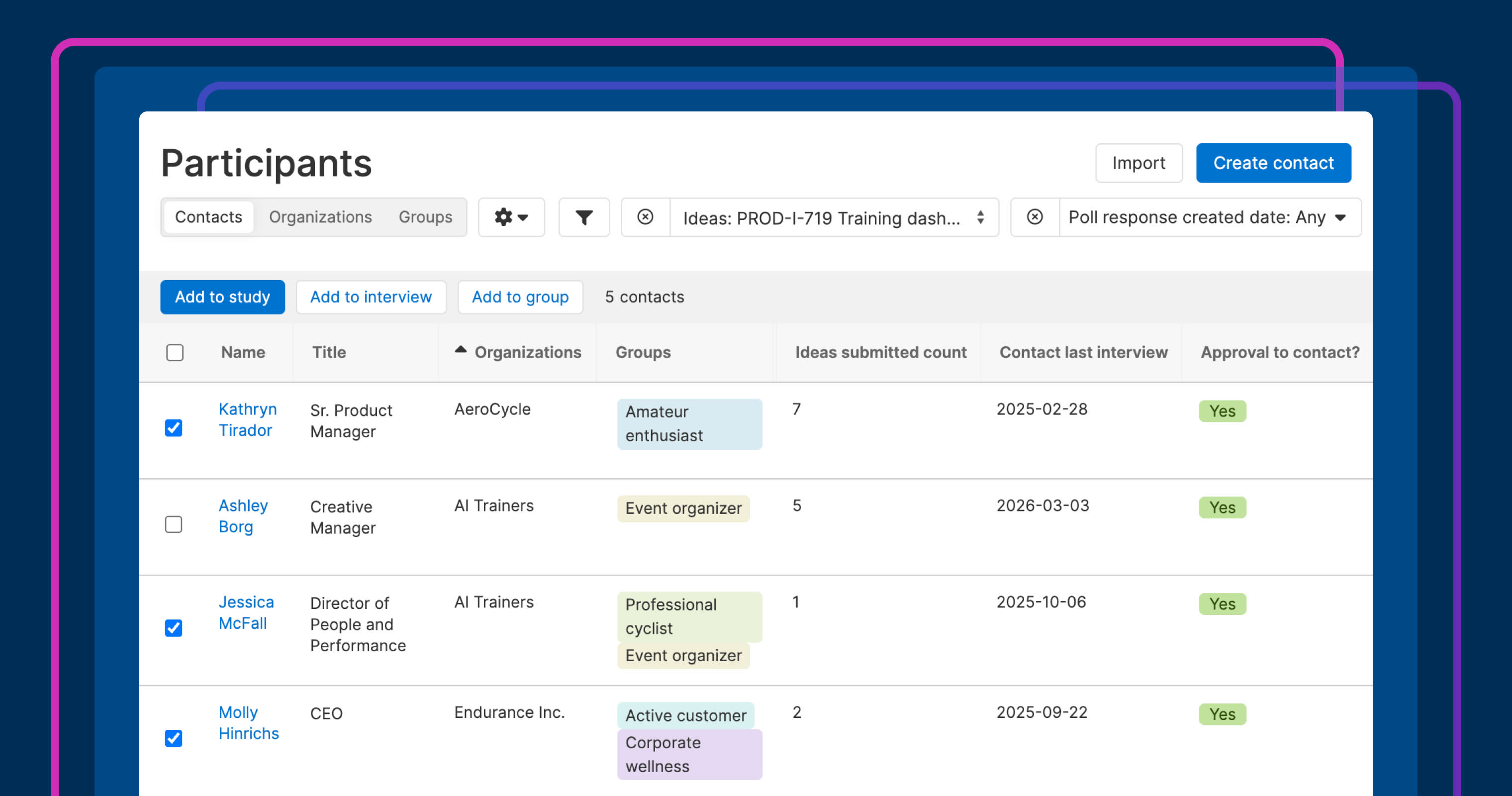
The new Idea filter appears on the Participants page by default. Use it to find contacts who submitted or voted on a specific idea. Search for ideas by name, and select as many as apply.
If you are using Aha! Discovery with Aha! Ideas Advanced, you can also add columns for Poll response and Poll question, then filter by a specific poll to find participants who responded. Together, these filters help you reach people who are already engaged with the topic you are researching.
As you run interviews, new ideas will emerge. You can now immediately subscribe your research participants to those ideas so they get updates on progress automatically.
Here is how this connection between your discovery work and customer feedback comes together in practice:
Recruit relevant participants: Find customers who submitted or voted on specific ideas, or who responded to polls related to your research study.
Invite them to interviews: Send a personalized email inviting them to choose a meeting time.
Close the feedback loop: Subscribe participants to new ideas that come up during your conversation so they get status updates automatically.
Take a look at how you can filter by ideas and poll responses:
This update is available in Aha! Discovery for customers who also use Aha! Roadmaps or Aha! Ideas. Ideas portals are included in all Aha! Roadmaps and Aha! Ideas plans. Polls are available on the Aha! Ideas Advanced plan.
See how to use this new capability in action:
How to get started
Open the Participants page in Aha! Discovery.
Use the Idea filter to find people who submitted or voted for specific ideas.
You can also filter by polls:
Click + in the table's header and add the Poll response and Poll question records.
Filter by fields like Poll question name and Poll answer option to find people who responded to polls in specific ways.
Select relevant participants and add them to a study.
Create new ideas directly from your interview transcript or insights report.
Subscribe participants to those ideas so they receive status updates automatically.
Pro tip: Add a column for Contact last interview to avoid contacting your research participants too frequently.
📚 For more details, read the full knowledge base article.
Connect your participant database to the feedback your customers already share. Every interview starts with better context — you are talking to people who are invested in the functionality you are looking to develop. And when you build something based on what they tell you, they will know.
Start a free trial of Aha! Discovery
Aha! Discovery is the new way to manage customer interviews, uncover key product insights, and link them to your roadmap. Sign up for a free 30-day trial or join a live demo to see why more than 1 million product builders trust our software to build lovable products and be happy doing it. Contact us if you are interested in trying Aha! Discovery in your Aha! Roadmaps or Aha! Ideas account to validate your plans with customer sentiment.