Elle is AI for product managers. Here is one product manager's review of it.
What is the best AI for product managers? Get to know Elle.


What is your go-to AI tool setup? Product managers have plenty of options these days. You can use popular LLMs for all sorts of tasks and connect them to the software you already use. Or you could assemble a stack of specialized AI tools for different jobs — and even build your own fleet of agents. Then, there is my way: I really only use one AI tool for product management (and I might be biased, but I think it is the best).
Let me tell you about Elle, our AI assistant. Elle was built for product managers, by product managers (like me 👋). When we first launched AI in Aha! software in 2023, our team wanted an AI assistant we could rely on for all types of product work — one that would help us advance our craft and open up new possibilities, while also handling the tedious tasks we would rather not do.
That is what Elle is for us today. Our team uses Elle, and pretty much only Elle, for AI assistance throughout our product development process. We have built so much functionality into it that our customers are sometimes surprised by what Elle offers.
Elle automates routine tasks and helps me think through and complete more strategic work. It serves as both an assistant and an expert advisor, which frees me up to do more of what I do best (and enjoy the most): making important decisions, collaborating with the team, and imagining a better future.
This post focuses on how Elle does that right now, from my perspective as a product manager on the Aha! team who uses it every day. (If you want technical details or how-to guidance, our knowledge base has that covered.)
What is Elle?
Elle is the AI assistant for product management built into Aha! software. You interact with Elle through natural-language chat. And you can work with Elle whether you use one Aha! product or the full suite. It is available almost everywhere in your account — so you do not have to buy, install, or use a separate AI tool.
And I understand the skepticism about AI built into enterprise software: Is it really useful? Or is it just a chatbot bolted on for summaries and analysis? Those can be helpful, but limited. I want an assistant that helps me do the work, too.
We built Elle to deliver on that. Elle can create records, build reports, and generate prototypes — not just review and discuss the work. Elle knows to draw context from our existing product plans and data. That means I do not have to explain the background each time we chat.
For example, I might ask Elle, "Is our roadmap on track with our strategy?" Elle can then check our roadmap features against our initiatives and goals. And let's say Elle flags a blocked feature. If I decide the launch date needs to change, I can ask it to update the record right then (and any dependent ones).
That is just one example. Let's get into what else Elle can do for product managers.
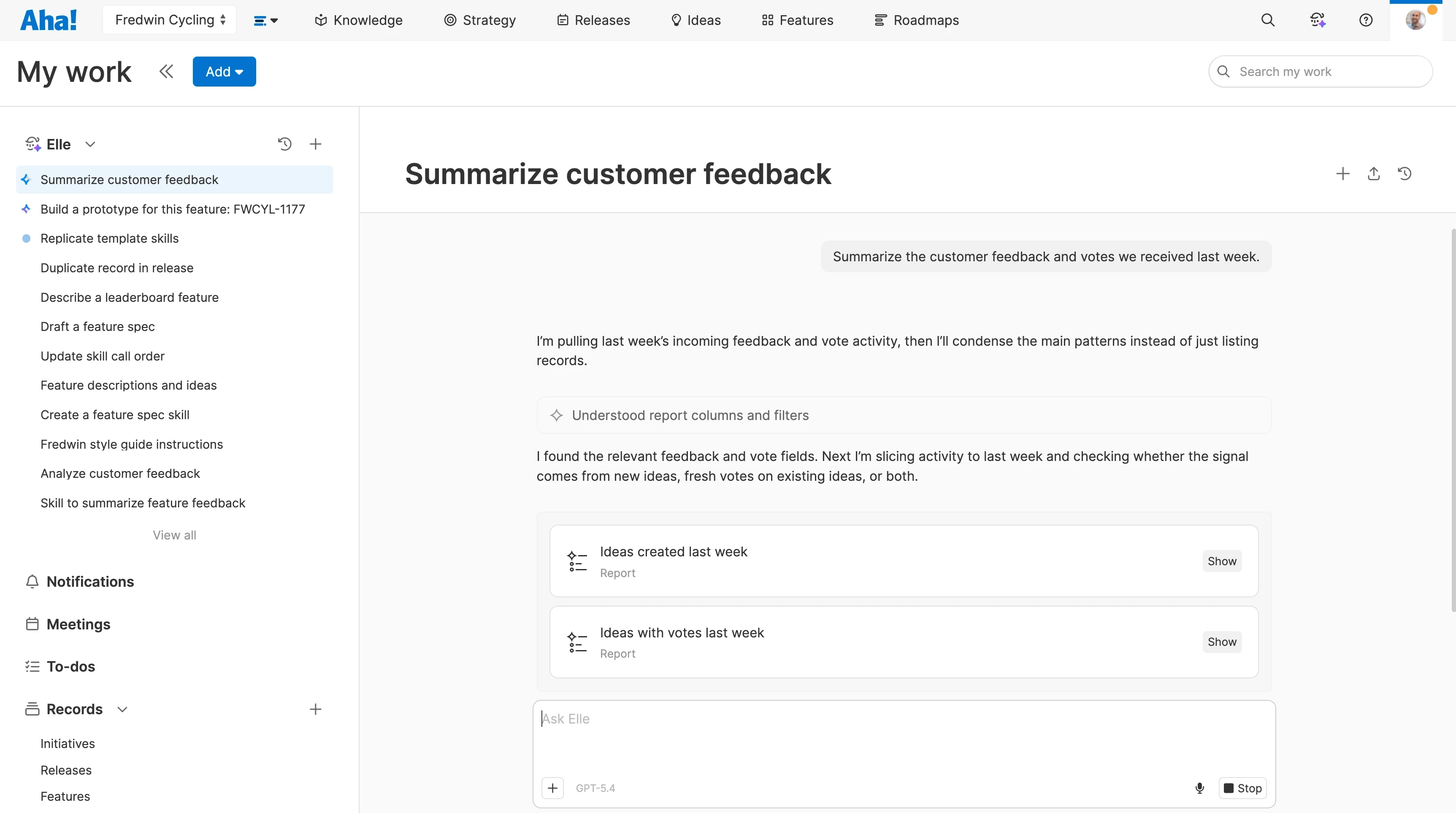
You can access Elle from the My work page, the top navigation menu, or anywhere you see .
What can Elle do?
In a single day, I might need help analyzing customer feedback, planning a release, and prepping a roadmap presentation. Elle helps me cover all of this, and everything in between — supporting my work across the product development process. And Elle includes general-purpose AI features as well, so the output is fine-tuned to my preferences.
Here is everything I use Elle for and what it can help you do:
Elle's product management capabilities
Strategy
When you are setting product direction, Elle can help you research and draft the vision, personas, positioning, and competitor profiles. Ask it to review past plans and progress toward goals as you consider where to focus next, or check whether planned work supports the priorities you have set.
Product discovery
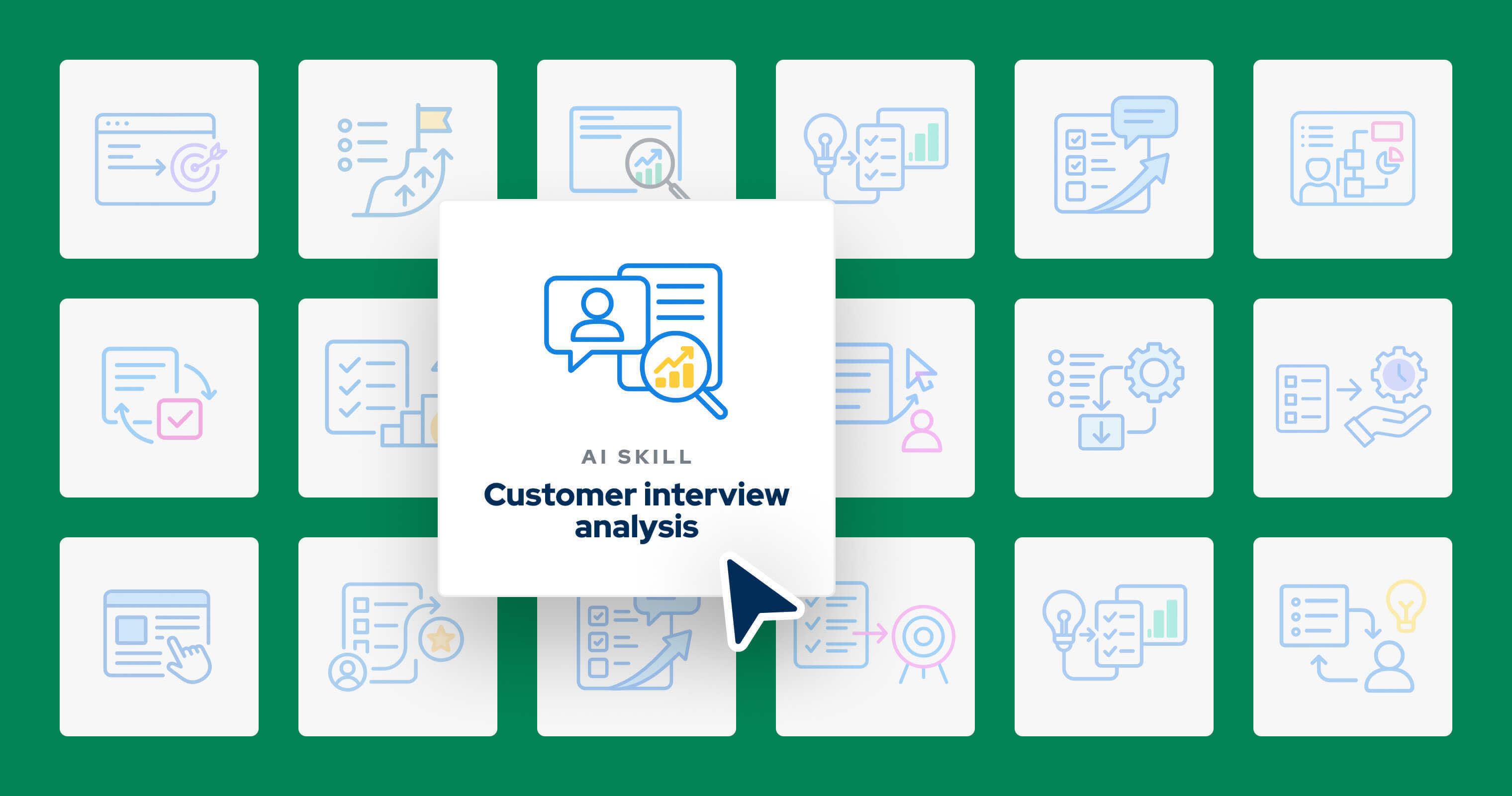
Elle can help you prepare for each customer interview. But afterward, you want to understand what you are hearing across conversations — not separate summaries. Elle can find recurring themes across interview transcripts and research files, or pull out quotes that help you understand a customer need. You can then connect those findings to ideas and features as you decide what to build.
Ideation
When customer requests start to accumulate, you need a way to find the deeper need underneath. Elle can help you dig into customer problems by quickly analyzing large volumes of feedback. You can spot emerging themes, understand common use cases, and explore revenue potential. Elle can also find similar ideas and consolidate duplicates, giving you a clearer picture of customer demand.
Whiteboarding
When a product idea is taking shape, describe what you have in mind and have Elle turn it into a workflow, diagram, or mind map. Or ask it to organize objects in bulk (like sticky notes), then create records or action items for you after a whiteboard session.
AI prototyping
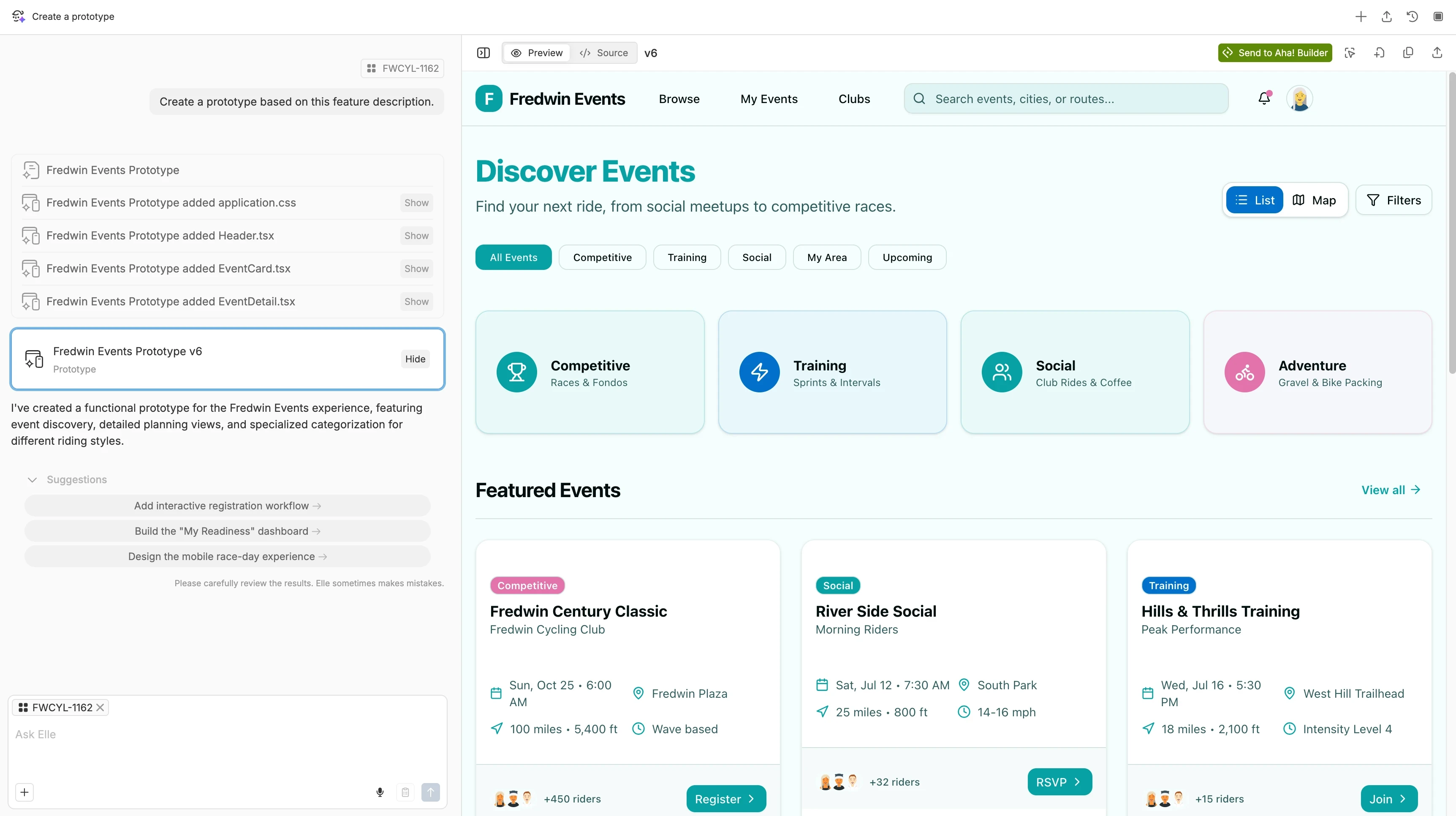
With Elle, you can turn feature descriptions or sketches into interactive AI prototypes. That lets people try out an idea before you actually build it. You can explore different user flows, apply your design system, and ask Elle to make changes as you gather feedback.
Feature prioritization and roadmapping
Plans change — and you need to weigh new priorities against the work already in motion. Ask Elle to rank features using your scorecards and relevant feedback. Once you decide what comes next, Elle can organize work into releases, flag dependencies or blocked work, and update the relevant records.
AI app building
Sometimes you want to build more than just a prototype. If you use Aha! Builder, you can work with Elle to create a full working application. That includes the database and logic behind the interface, so people can actually use it. We built some example apps that you can click around in to see what I mean.
Delivery planning
Before you commit to the next release, Elle can look back at past releases to find work that took longer than expected or carried over — then help you set estimates and decide how much to take on next. You can also ask Elle to help break down larger efforts and put together a sprint plan.
Reporting and stakeholder communication
When you need to understand how work is progressing, Elle can find the relevant product data and build reports. You can ask what has changed or what needs attention, then use those findings to prepare a stakeholder presentation or summary.
Documentation
People need a way to learn about new features. Elle can help you document what you have built so the team and customers know how to use it. Ask it to generate release notes from shipped features or how-to articles for your knowledge base. Elle can also help update user guides as functionality changes and translate support articles into other languages.
Elle is also equipped with an AI prompt library full of requests, instructions, agents, and skills. We built each prompt specifically for product management workflows.
An example of an AI prototype created with Elle in Aha! software
Try out Elle, AI for product managers — free for 30 days
Elle's general-purpose AI features
Feature | How it works |
Tell Elle about your role and how you like to work, so you do not have to introduce yourself in every chat. | |
Ask Elle to remember preferences or corrections for future conversations. You approve what it saves, and your memory stays private to you. | |
Save prompts you use often and guidance for how Elle should respond. This ensures useful results are easier to repeat. | |
Teach Elle your approach to a task, including any reference files. Then, Elle will know to apply that skill automatically moving forward. | |
Automate recurring work, like a weekly feedback summary. Elle will pause for your approval before changing records or adding comments. | |
Connect Elle to tools such as GitHub and Sentry, so you can get context across development without needing to do it yourself. | |
Give Elle shared styles and components to use, so AI prototypes and applications look just like your product. | |
Say your request instead of typing it, then check the transcription before sending. This is handy when talking through an idea feels easier. | |
Elle picks a model suited to your request, so you do not have to figure out which one to use for each task. |
Most of Elle's general-purpose AI features are available in all of our software. For a full breakdown, compare Elle's capabilities by Aha! product.
What I love about Elle as a product manager
Love might sound like too strong of a word. But lovability is important to us at Aha! — it shapes how we build our software and work together. We always want what we build to be valuable and a joy to use. That includes Elle.
For me, what I love about working with Elle comes down to a few things I really appreciate in my day-to-day work:
I do not have to explain the background every time
I used to spend the first few minutes of an AI conversation explaining the background. With Elle, much of that context is already there. Elle knows to look at our strategy, my plans, and other product data — so when I ask about a feature, it can consider our goals and what customers have told us. To be honest, I probably take for granted just how much time and explanation this saves me now compared to other tools.
I can ask for help right where I am working
I sometimes want help digging into customer research or prioritizing features for the roadmap. Other times, I just need a second look at a requirement before I share it with engineering. I like being able to ask Elle for help wherever I am working — in a document, comment, or feature record — without navigating somewhere else and explaining what I am doing. That makes Elle just as useful for the heavy lifting as for the little tasks.
I can teach Elle how we work
I have my own way of working, and our team has practices we have developed together. I like that we can teach Elle both. Personal skills and memory help Elle follow my preferences, while shared AI skills give everyone a common set of guidelines to build on. For example, we use AI skills to review product strategy, identify customer-problem themes, and identify potential features for the roadmap. We do not have to start over with each request, and we can continue adapting that guidance as we learn what works best.
I get help following through on decisions
An insightful answer is useful, but I still need to do something with it. Once I decide how to move forward, I can ask Elle to create or update the relevant records. That might mean creating a to-do after a meeting or reordering my backlog and updating feature details after we discuss the changes. I still set the direction and review the updates, but I appreciate not having to make every manual change myself.
I know our product data stays protected
Our team works with information we have to handle carefully, like customer and company data. I need to trust that our AI will treat it with the same care. It reassures me that Elle follows the same privacy and security standards as the rest of Aha! software, respects our existing access permissions, and, most importantly in my opinion, does not use our account data to train AI models. These might sound like admin details, but they matter to me as a product manager (and a human).
I do not want finding the right AI tool to become another part of my job. I want to get on with building a product customers love — that is why I use Elle.
Of course, we are still building more into Elle. I would love to hear what other AI features would help you in your daily product work. If you have an idea, send it in for me (and Elle) to review.
Embrace an AI-powered product mindset. Explore AI in Aha! software.
FAQs about Elle and AI in Aha! software
Who can use Elle?
Anyone who uses Aha! software can work with Elle, whether you use one product or multiple (as long as you have contributor permissions or higher). Elle is designed for product managers and other colleagues who contribute to product work. Your access and available capabilities depend on your plan, permissions, and account settings.
Is Elle included in Aha! subscriptions?
Yes. All paid Aha! accounts include AI credits for Elle that are shared across users. Credit usage varies by task. Account administrators can monitor usage and set limits for each user.
How much context do I need to give Elle?
Elle can use the product information already in your Aha! account — no need to explain all the details of your request from scratch. Start with a clear prompt and add any details not available in your account, like who the output is for or what decision you are considering.
Can Elle create product records and update roadmaps?
Yes. Elle can create most product records and reports in Aha! software. Elle can also help you check and update records as plans change. You set the direction and review the changes, with permissions and approval controls in place.
Can Elle analyze customer feedback?
Yes. Elle can find recurring customer needs across feedback and research interviews, then pull out supporting quotes. Elle can connect those findings to ideas or planned work in Aha! software to help you decide what to build next.
How is Elle different from a general AI tool like ChatGPT or Claude?
General-purpose AI tools such as ChatGPT and Claude are standalone assistants that support many types of work and can connect to other tools. Elle is designed for product managers and built into Aha! software. Elle can use the product plans and customer research you already have, then create or update work in the same place. You spend less time explaining the background or moving input and output between tools.
How is Elle different from other AI assistants built into product management software?
Elle supports product work across the entire product development lifecycle, using the connected information in your Aha! account. For example, you can ask Elle to identify a customer need, create it as a roadmap feature, then build a prototype of it to test with users. When comparing AI assistants for product managers, consider how much of your product work each supports and how your existing research and plans can inform the results.
Is my product data used to train AI models?
No. Your account data is not used to train AI models. Elle also follows your existing access permissions in Aha! software.