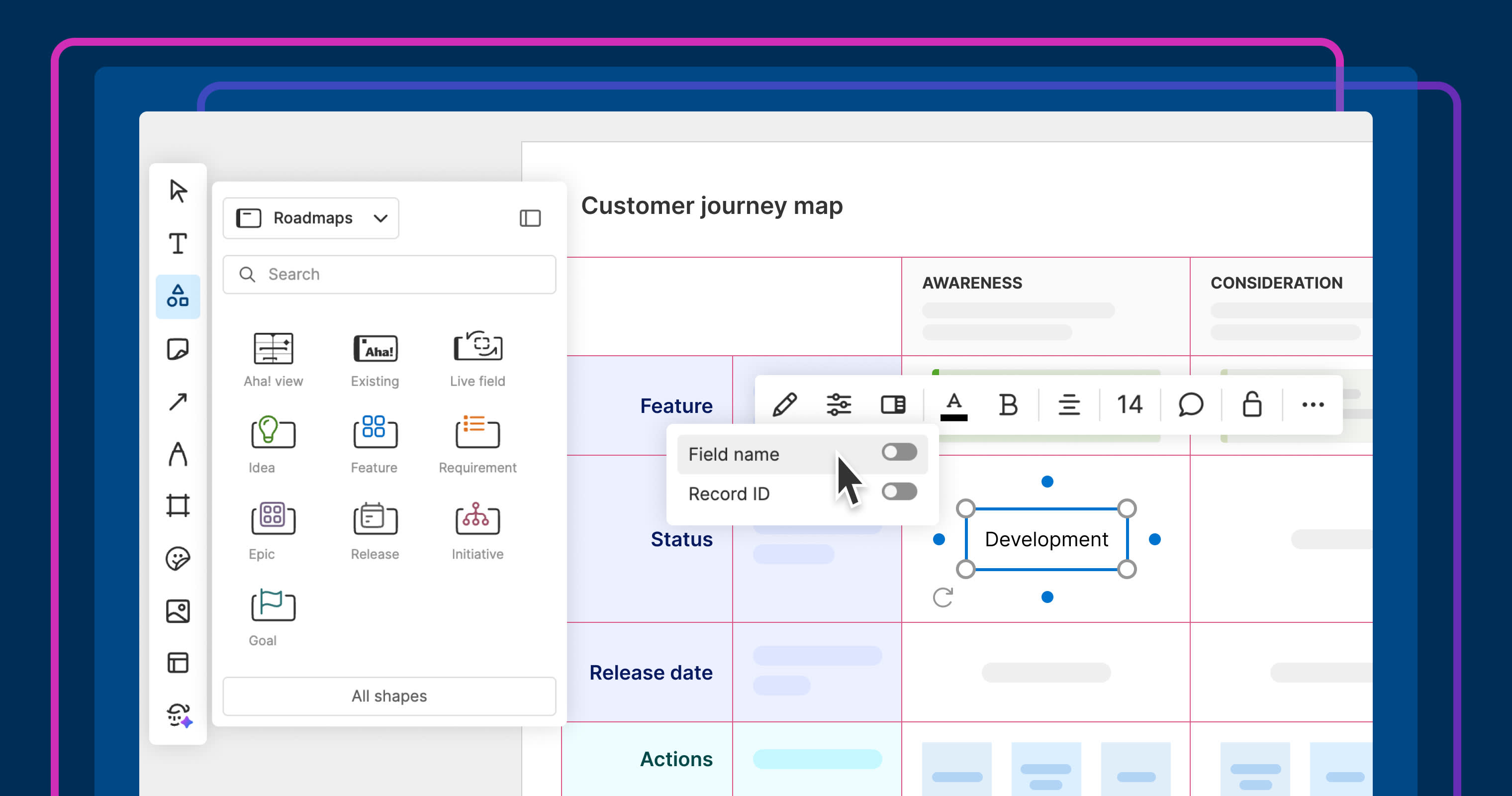
Use live fields to add precise data to your whiteboard.
Show specific product roadmap details on whiteboards


You get the whole record card when you add a work item to a whiteboard in Aha! software today. That is useful sometimes, but not always. For example, if you are highlighting a detailed initiative and just need to show who owns a feature or what its current status is, the rest of the information can get in the way. With today's update, you can share what matters most without cluttering the story.
Pull specific Aha! record fields into whiteboards so everyone can see what is most important — with no distractions.
Add individual data fields to your whiteboard
Whiteboards in Aha! software make it possible to bring work items — like initiatives, ideas, and features — into visual planning sessions. This is useful for early roadmaps, PI planning, and mapping out how work connects.
The new Live field shape extends that: You can pick specific fields from a record and display them as shapes on the board. There is no need to overwhelm your canvas with full record cards or manually type out the selected data (which can quickly go stale).
Here is what you can do:
Focus on what is important: Use the new Live field shape to add the information you need — status, assignee, due date, or any other field.
Configure the layout: Move, resize, and format the data like you would any other shape on the board.
Keep it up to date: The displayed value stays in sync with the underlying record to reflect the latest information.
Use live fields to surface the details that matter and keep teammates aligned.
The ability to add live fields to whiteboards is now available for all Aha! customers. This functionality is part of Aha! Whiteboards Essentials, which is included in every Aha! product at no additional cost.
Let us show you how to pull in live fields to a whiteboard:
How to get started
From a whiteboard, open the Shapes menu in the left toolbar.
Select the Live field option.
Choose the Aha! record you want to reference.
Pick the specific field value to display on the board.
Use the Label toggle to show or hide the record reference and field name.
📚 For more details, read the full support article.
Live fields make it easier to connect your visual plans to the underlying work. Use them to highlight key details so everyone stays up to date without ever leaving the whiteboard. You can also find this in our new presentation mode — stay tuned to learn more.
Start a free trial of Aha! Roadmaps
Aha! Roadmaps is the best way to set strategy, prioritize features, and share visual plans. It also includes everything in Aha! Ideas Essentials, Aha! Whiteboards Essentials, and Aha! Knowledge Essentials to provide a complete product management solution. Sign up for a free 30-day trial or join a live demo to see why more than 1 million product builders trust our software to build lovable products and be happy doing it.


