Combine metrics and whiteboards to give your dashboard more meaning.
Add whiteboards to your product management dashboards


You have a meeting with marketing coming up. You build a dashboard with relevant product launch roadmaps, charts, and tables. But what about that user story map you sketched last week? Or the wireframe that shows what you are building? Those live on whiteboards, and switching views mid-presentation breaks your flow. Not anymore.
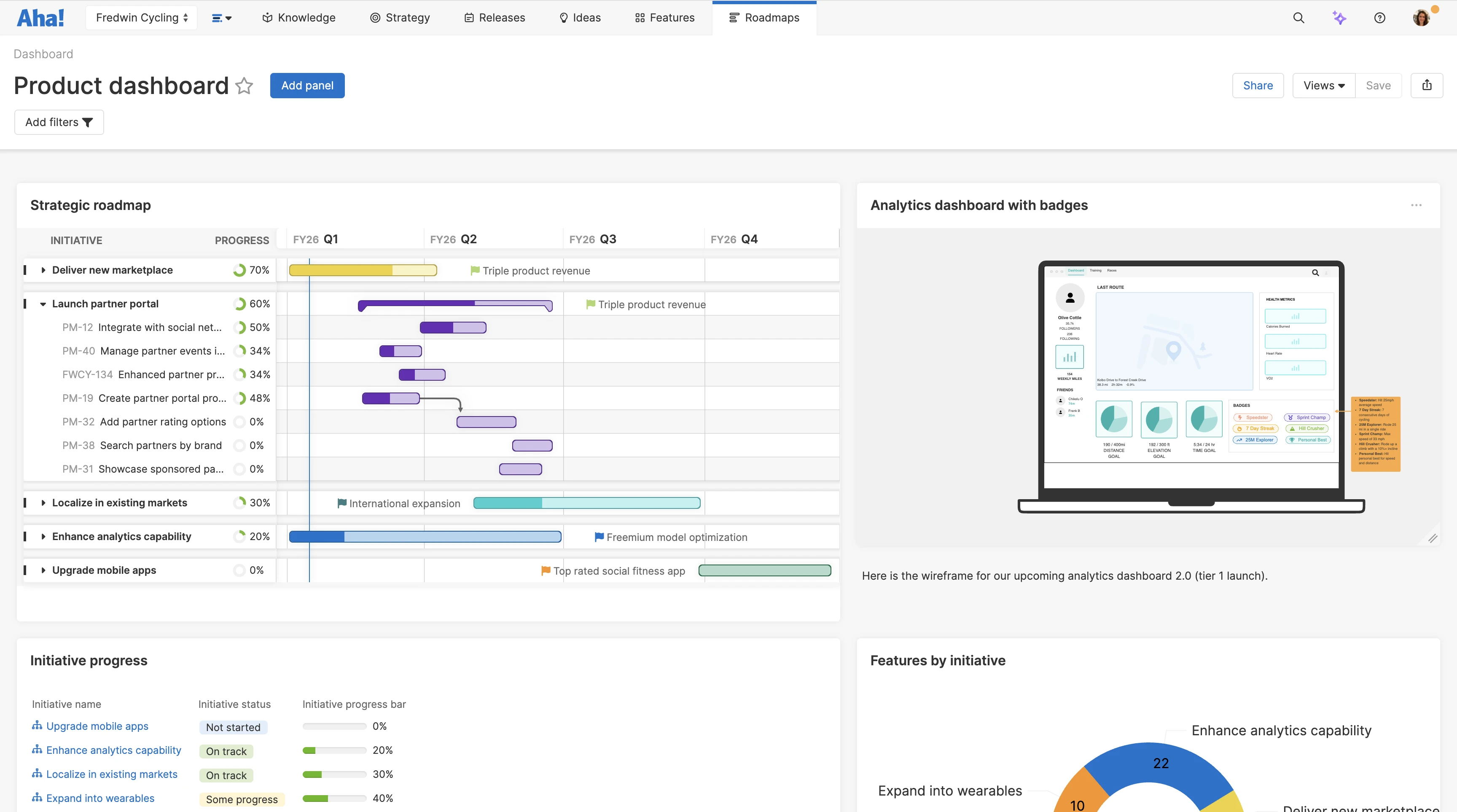
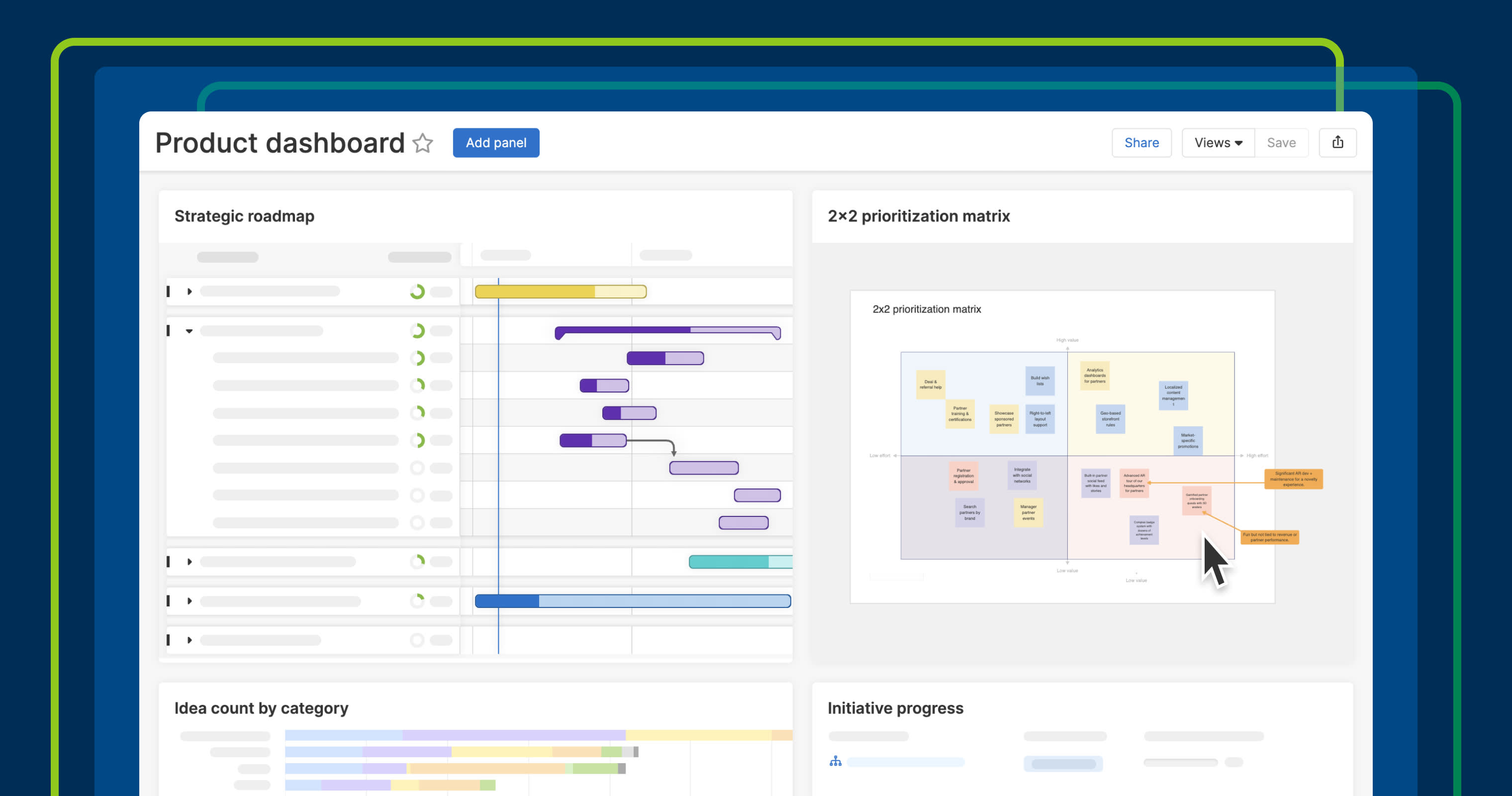
Now, you can add whiteboards directly to dashboards — bringing key visuals into the same place as the reports they informed.
Show the work behind the plans
Dashboards in Aha! Roadmaps help you curate whatever views matter for a particular audience. You arrange panels to tell the story you want to tell. But until now, whiteboards have been separate — even when they contain work that should be visible alongside everything else.
You can now add those whiteboards directly to dashboards as panels. Any updates made to the original whiteboard are automatically reflected in the dashboard.
Here is what you can do:
Embed whiteboard in dashboards: Include user flows, wireframes, architectural diagrams, and more.
Customize the layout: Resize, move, and edit panels to organize your dashboard the way you want.
Share with the broader team: Publish dashboards as webpages to share with colleagues who are not in your account.
Data comes to life when paired with the visual concepts that shaped it.
The ability to add whiteboards to dashboards is now available for all Aha! Roadmaps and Aha! Ideas Advanced customers.
See how to use this new capability in action:
How to get started
Click Dashboards under the Roadmaps tab in the top navigation.
Open the relevant dashboard (or create a new one).
Click Add panel and select Whiteboard.
Use the search bar to select an existing whiteboard, and click Add to dashboard.
Resize and move the whiteboard to suit your dashboard.
Users can double-click to expand the whiteboard panel to full-screen or open it to edit.
📚 For more details, read the full support article.
Try it with a dashboard you share regularly. When people can see your plans and the visual work that informed them without switching views, they get the complete picture without the back and forth.
Start a free trial
Aha! Roadmaps is the best way to set strategy, prioritize features, and share visual plans. It also includes everything in Aha! Ideas Essentials, Aha! Whiteboards Essentials, and Aha! Knowledge Essentials to provide a complete product management solution. Sign up for a free 30-day trial or join a live demo to see why more than 1 million product builders trust our software to build lovable products and be happy doing it.