Reference your product plans while refining new concepts.
Add nearly 30 more product planning views to whiteboards


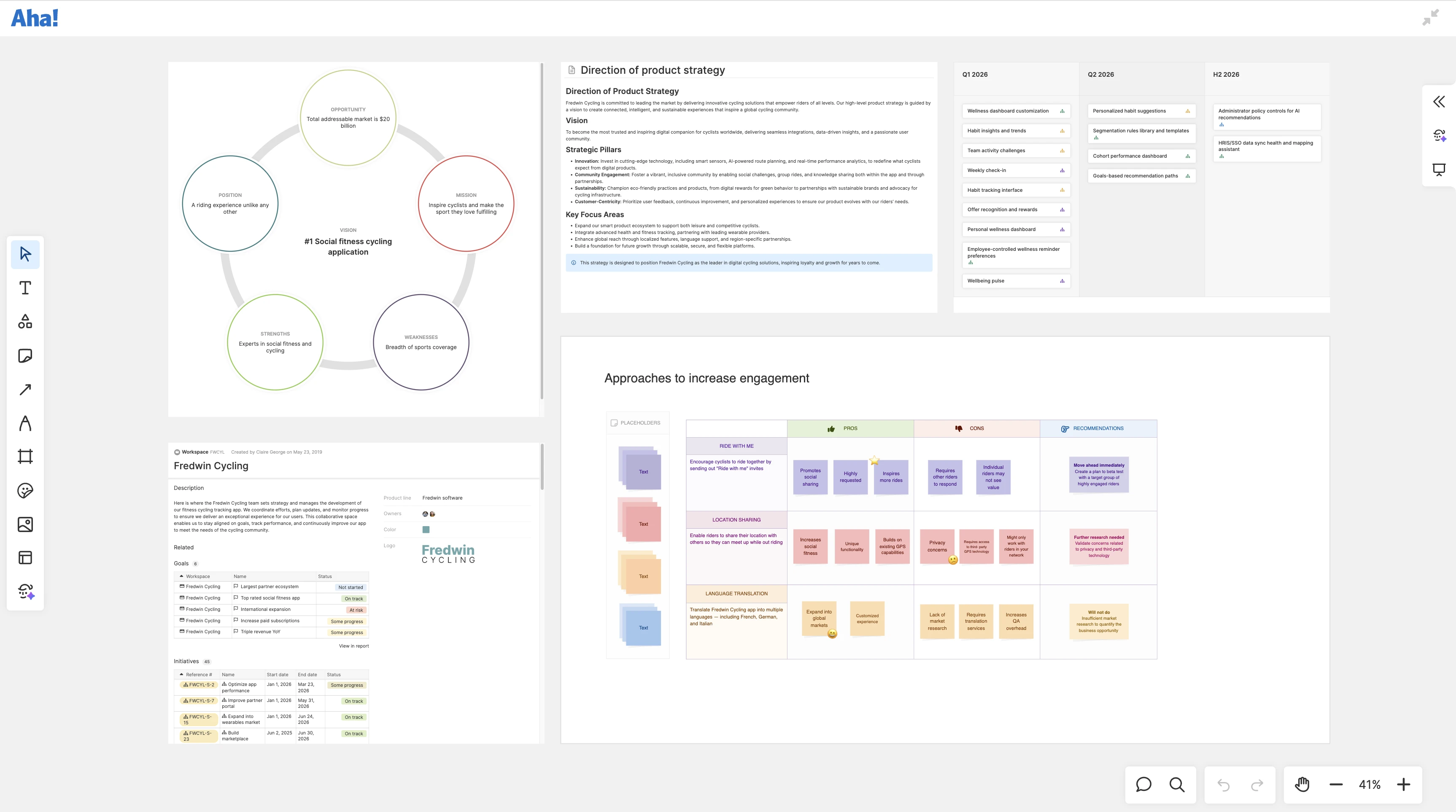
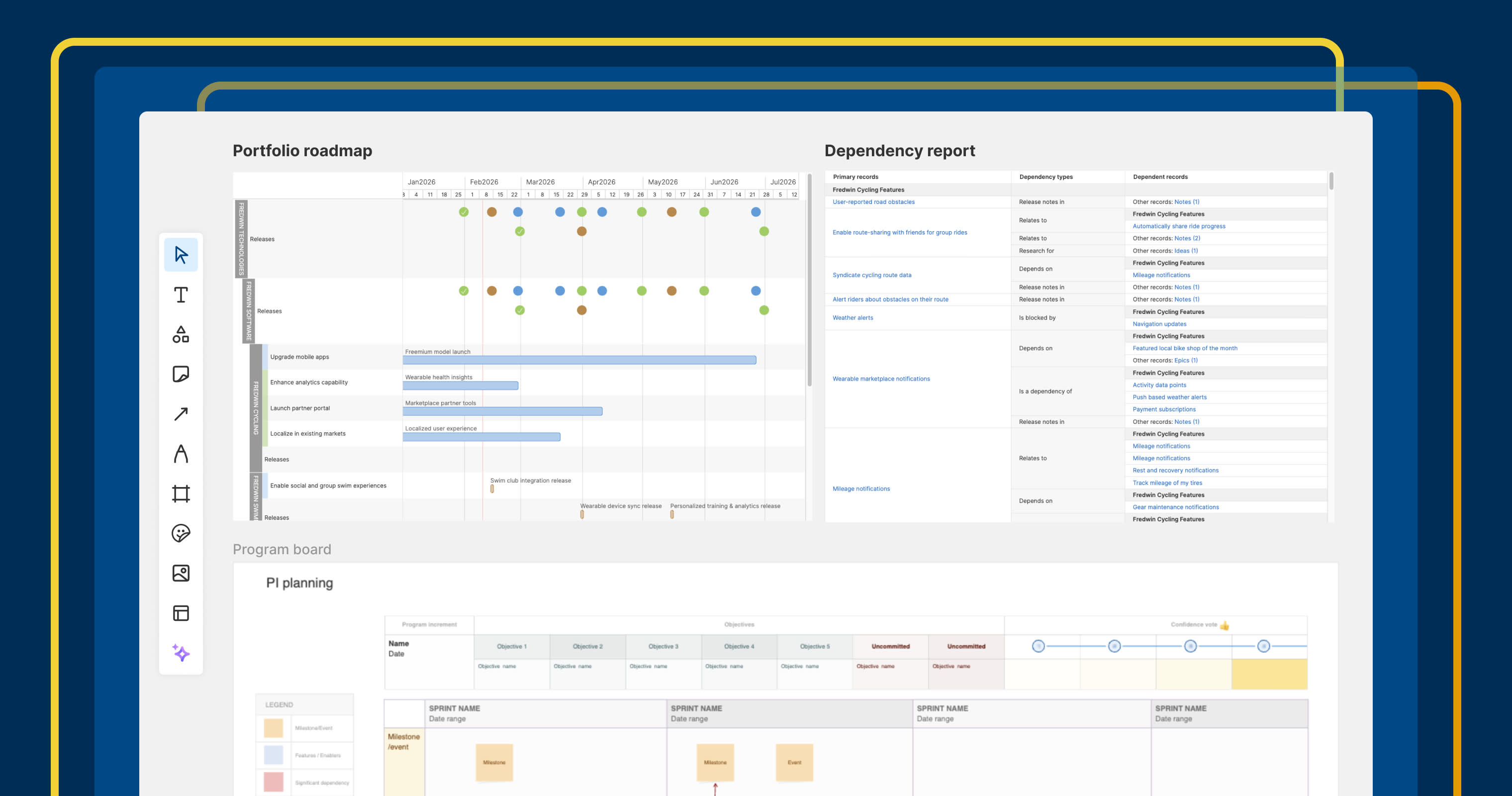
When you are working on a whiteboard to explore a bold new product idea, you are in a flow. The last thing you want is to stop. But the context that informs your thinking — strategic models, charts, release calendars, and more — is captured in other Aha! views. With today's update, you can now bring those views directly onto the canvas to stay in your flow.
Add product planning views to your whiteboards in Aha! software to refine your thoughts as you explore new concepts.
Bring context to your whiteboard
Aha! Whiteboards are where product managers do some of their most hands-on product work — defining user flows, building mockups, and collaborating on roadmap plans.
You could already embed views like roadmaps and Gantt charts directly on the canvas for context. Now, you can include 27 additional views to express key insights and visually highlight your thinking. Here are a few ways to put this to work:
Explore new ideas: Include a strategic model or competitive research note to stay focused on the bigger picture.
Shape designs: Embed a persona or positioning to ground new experiences in who you are building for and why.
Streamline planning: Add a Now, Next, Later roadmap or release calendar to map out what you will deliver and when.
Set the update frequency of each view to suit your needs. Choose live data that updates as plans evolve. Or go with a fixed snapshot to preserve the exact view behind a decision. Double-click any embedded view to drill into the details directly from the whiteboard.
Embedding Aha! views on whiteboards is available for all Aha! customers. Users with edit access on a whiteboard can embed Aha! views, and viewers can interact with them.
Let us show you:
How to get started
Open your whiteboard.
Click Shapes in the whiteboard toolbar.
Add the Aha! view shape and search for your chosen view.
Click the view to place it on your whiteboard.
Resize the view to fit your space and double-click to interact with the data.
Use the Snapshot settings icon in the view's toolbar to customize update frequency.
📚 For more details, read the full support article.
Every view you embed is already in Aha! software — nothing to import, nothing to keep in sync. The more your whiteboard reflects what is actually planned, the more useful it becomes as a place to explore new concepts and make decisions.
Start a free trial of Aha! Roadmaps
Aha! Roadmaps is the best way to set strategy, prioritize features, and share visual plans. It also includes everything in Aha! Ideas Essentials, Aha! Whiteboards Essentials, and Aha! Knowledge Essentials to provide a complete product management solution. Sign up for a free 30-day trial or join a live demo to see why more than 1 million product builders trust our software to build lovable products and be happy doing it.