Turn feature descriptions into marketing, sales, and support content with AI


It must be déjà vu. You write a user story so engineering can build. You share updates in a meeting with sales teammates so they can drive interest. A few weeks later, you draft a brief so marketing can prepare the launch announcement. It feels like you are repeating yourself — resharing the message in different ways to give everyone the context they need. But now, there is a way around this.
The right feature format and AI assistant can make the same story work for the entire team.
Feature descriptions (also known as briefs, specs, or user stories) are often written for immediacy. When you reach the scoping stage, the pressure is on to start development. You focus on what engineering needs: a clear explanation of the problem to solve and how it should work.
But marketing, sales, support, and customer success teammates need more context than that. They need to understand how to communicate the value of the feature, which is not always clear from the functional requirements. So as you get closer to launch, you field questions like:
Who is this feature for?
Why are we building it now?
What's the benefit?
How should we talk about this to customers?
What do users need to know to actually use this feature?
Even if you include some of this context in your initial description, teammates often need it packaged differently — in their language, for their audience. This helps everyone do their jobs well. But it does take up your time, and theirs. As you rework the details, your colleagues wait to plan messaging and outreach. Or they infer answers that might miss what the feature actually delivers. But simple changes earlier in the process make things smoother for everyone.
A well-written feature description can help the whole team start launch-planning sooner and get it done faster.
This works in two parts:
First, you draft a feature description with the right structure and context.
Then, the rest of the team can use that same description as a starting point for their work — with help from AI (like the assistant built into Aha! software) or other tools your team uses.
The idea is to set up features in a way that makes them strong inputs for AI across different use cases and content. Of course, this takes a little more time upfront. But you gain it back in the next phase when your teammates can move faster on their own. Here's our playbook for how to approach it:
How to write better feature descriptions
A great feature description helps anyone understand the customer problem, your solution, and why you are building it. That same context gives your AI tool what it needs to help your team create accurate, customer-ready content — from release notes to announcement emails.
The table below highlights the core components to include. Use it as a practical checklist to make your feature description more useful for everyone. It might seem like a lot, but most items only require a brief entry or can be quick work with help from AI (such as prototypes).
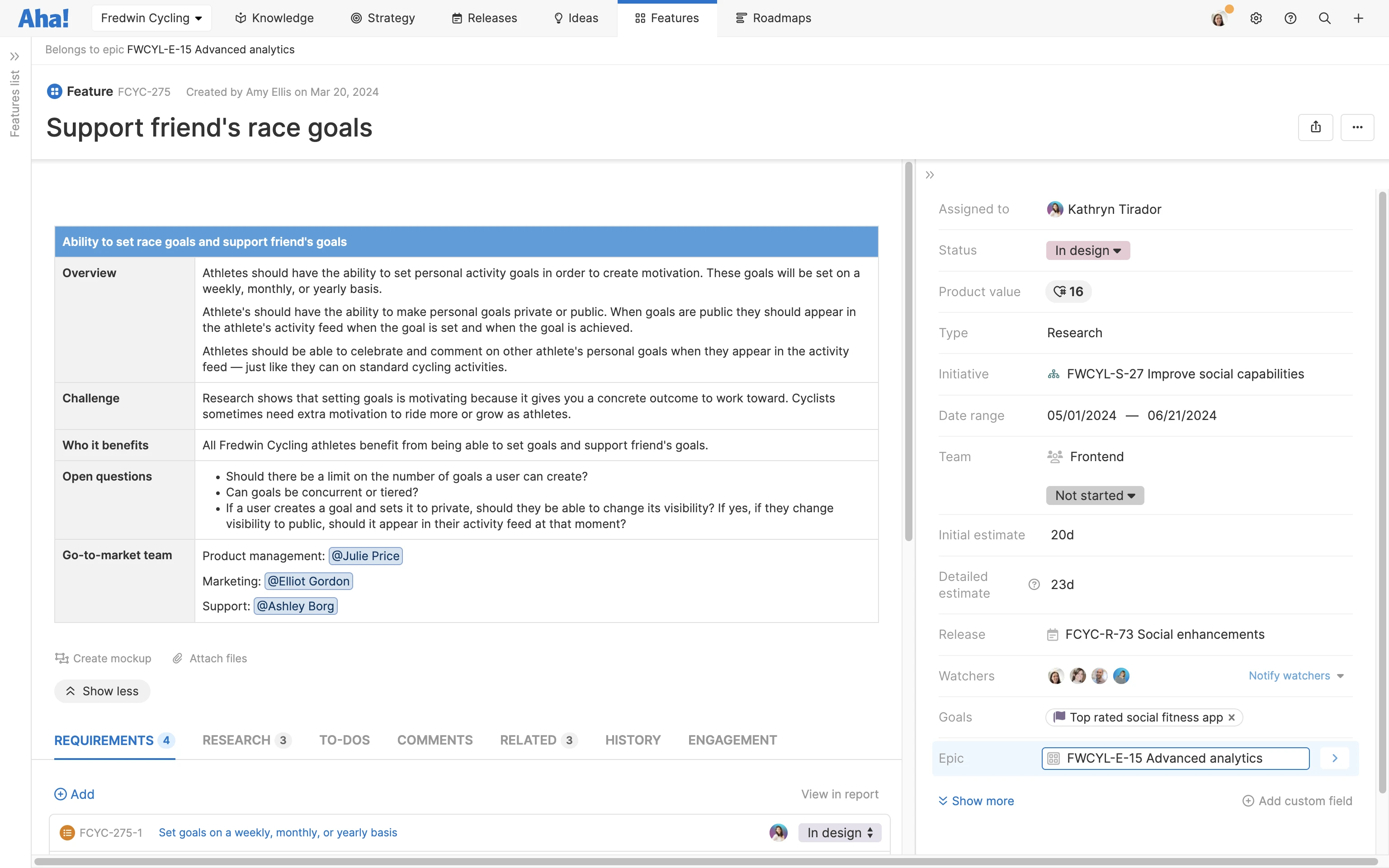
If you use Aha! software, many of these components should be custom fields or links in the feature card layout itself — not as written descriptions. (You can see an example pictured below.)
Component | Definition |
Feature overview | A title and short summary of the feature |
Timing | Target date or range for when you plan to ship the feature |
Status | Current state of the feature's progress in your workflow (e.g., 'Not started," "In progress," or "Ready") |
Strategic alignment | Why you are building this feature now and how it supports business and product strategy |
Target audience | Users who will benefit from the new feature — including links to relevant personas |
User challenge | Customer or business problem the feature addresses |
Current solutions | How users are attempting to solve the problem with other tools or workarounds |
Proposed solution | How the feature will solve the user challenge and the intended experience |
Scope | Outline general requirements needed for a Minimum Lovable Product |
Top benefits | Description of what users will gain from the new feature — even a value estimate |
Use cases | Examples of how users will interact with the feature |
Prototype | A lightweight interactive concept or clickable flow that shows how the feature will work |
Design/UX | Links to design explorations or mockups in progress |
Impacted functionality | Any other functionality that this feature could affect |
Success criteria | Outcomes, metrics, or behavior you hope to see |
Positioning notes | Early thoughts on how to communicate the feature externally — including differentiators |
Research and resources | Discovery interviews, customer feedback, or other supporting materials |
Open questions, risks, and dependencies | Unresolved decisions, potential blockers, and dependencies to be aware of |
More tips for defining features
Save the specs: Avoid overloading your feature description with implementation details. Keep technical specifics in the requirements.
Reuse what works: Create a feature template for consistency across features and teams.
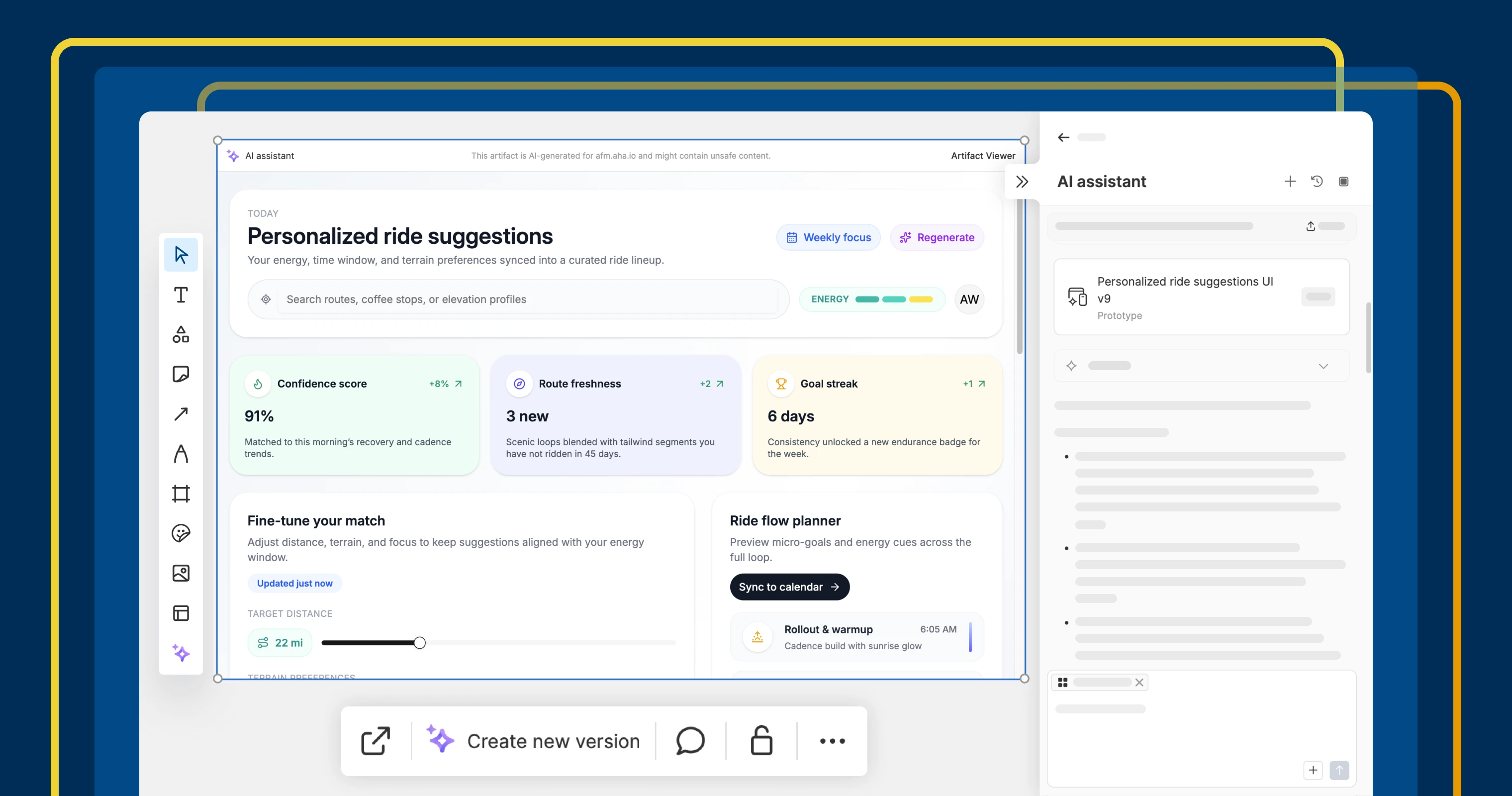
Prototype it. Include interactive visual context. In Aha! software, you can generate and embed AI prototypes directly from the feature description.
Review with AI: Ask AI to check for missing details. Or try the Feature definition agent in Aha! software to quickly draft complete descriptions.
An example feature in Aha! Roadmaps. Some details are captured in the feature description itself, and other details live in the record card layout.
Related:
How to repurpose your feature descriptions with AI
Now, your feature captures the bigger picture behind the work. You and your teammates can use it as fodder for customer-facing materials while engineering focuses on delivery.
To do this, you could copy and paste feature descriptions into other AI tools. But it works best with the AI assistant in our software. That way, AI can pull details directly from your feature record — referencing any linked goals, initiatives, personas, and research in one place.
Either way, simple prompts should work well with the context you have in the description. (For example, "Draft release notes based on this feature.") Try it out for these use cases:
Draft a product positioning brief: Ask AI to translate feature capabilities into clear, real benefits for users. Draw on what you have learned in discovery conversations and feedback so marketing teams can learn from the same data.
Outline a product launch blog: Longer-form content can take significant time and resources to develop — especially if you include video and other media. AI can help the marketing team identify key messages to include and how to structure them so the feature benefits are clear.
Plan knowledge base updates: New features sometimes require new support articles, which AI can help draft (we even have a Feature how-to article request for that). Customer support teams can also share existing articles with AI to get quick suggestions on what to update.
Generate release notes: Release notes should be timely once a feature ships. AI can help support teams draft them fast without chasing down the details. In Aha! software, you can use the Release notes request or even generate them right from the release.
Communicate customer updates: Sales and customer success teams will want to share feature updates directly with their contacts. AI can draft concise, conversational emails or talking points right from the feature description that capture key functionality.
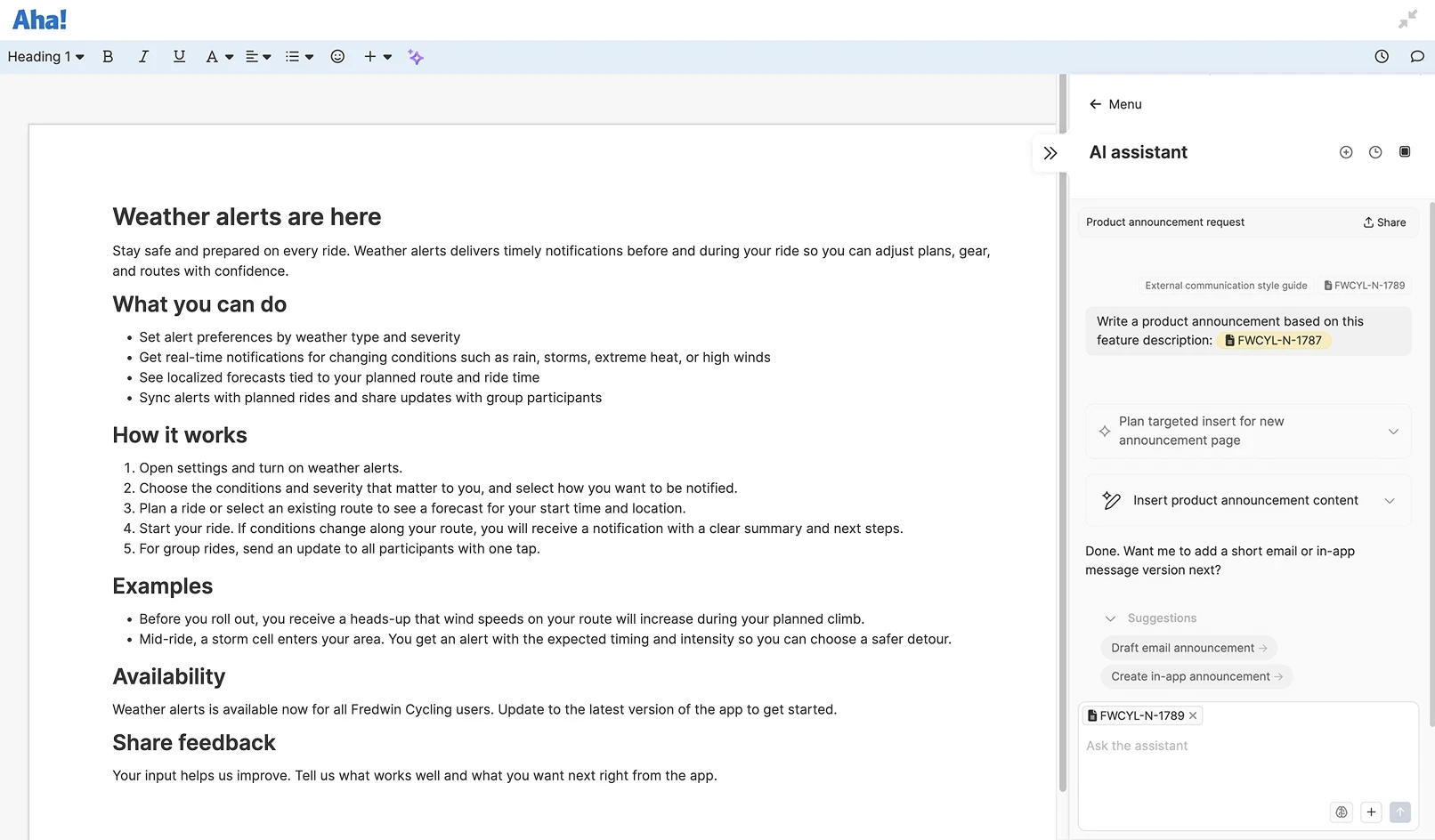
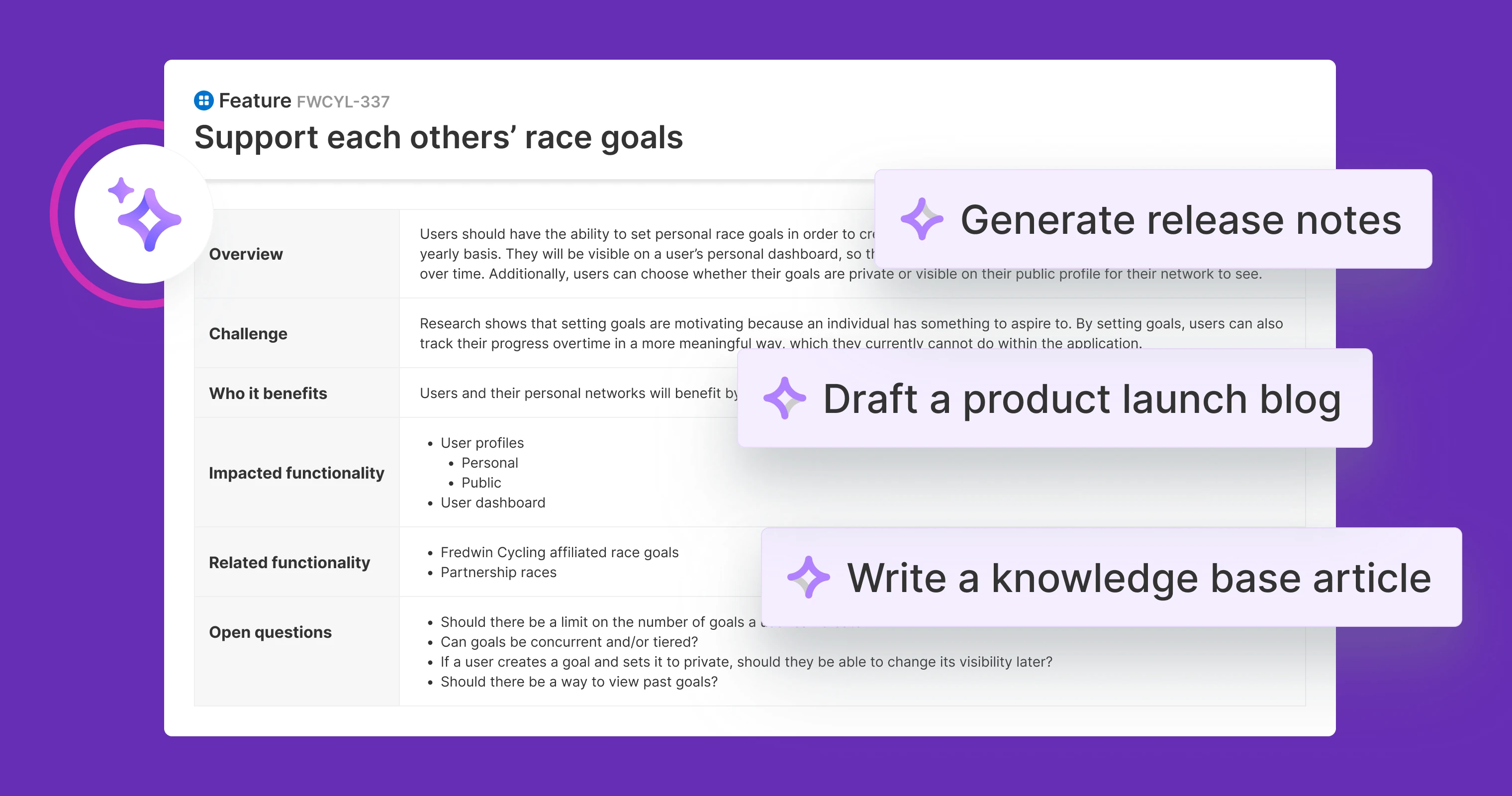
An example of how the AI assistant in Aha! software can generate product announcements based on a feature description.
More tips for using AI effectively
Save your favorites: When you get great results from a prompt, save and reuse it. (You can also explore our AI prompt library for a ready-to-use collection.)
Add more info: Share artifacts like competitor profiles and reports to give AI even more background to work with.
Make it a conversation: Tell AI how to refine the output — clarifying as you go to get better results.
Set instructions: Specify the tone, format, or audience to ensure AI's responses meet your team's standards across chats.
Refine the final: AI-generated content will always need human input. Use it to spark ideas and create rough drafts, then review and edit carefully.
When everyone can rely on the same feature story, you can use AI to help carry that message into any customer interaction.
You do not have to overhaul the way you work to benefit from AI. Get creative — find small ways to add it into your process to make collaboration more efficient and keep launches moving.
Ready to get started? Learn more about the Aha! AI assistant and deliver better products, faster.