Set standard workflows with document automations.
Standardize how you create product documentation with new automations


You already know which documents should accompany each phase of product development work. The question is whether they actually get created before someone asks for them. You might remember to add a market assessment here or a customer analysis there, but it is inconsistent. With today's update, you can automatically ensure your work is paired with the right documents.
Create automation rules to add notes and whiteboards to records in Aha! software — so every piece of work starts with the right documents in place.
Improve workflows with document automations
The automation engine in Aha! software handles repetitive tasks so you can spend more time on work that requires your attention. Set rules for all major record types — initiatives, ideas, features, and more — by defining a trigger and a resulting action. For example, you might assign an idea to the right product manager as soon as it is captured or create a to-do when a feature is ready for review.
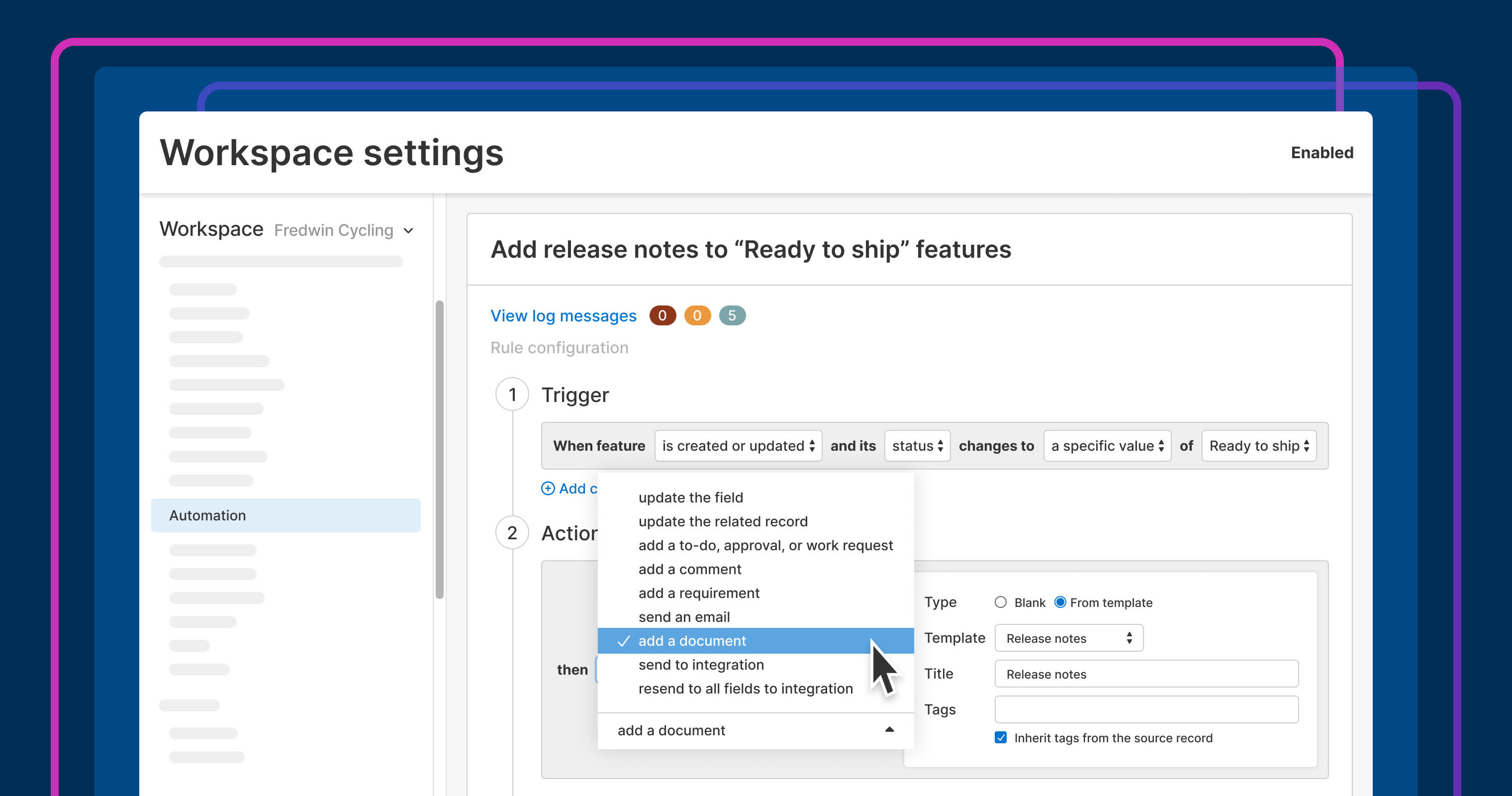
Those same rules can now create notes and whiteboards. Automatically add a document (either a blank one or a template) when certain conditions are met, like changing the status or adding a tag. The document immediately attaches to the record's Research tab, ready for you to fill in the details.
Explore our library of 100+ templates for inspiration. Customize each one to suit your needs and save it in your workspace settings to use in automations. Here are some examples to help you get going:
Create an opportunity canvas when the status of an initiative changes to In progress to ensure due diligence.
Add a discovery tag to features that need deeper customer research, and attach a customer research plan template.
Include a usability review checklist when a UX tag is added to a feature to maintain product quality.
Append a retrospective whiteboard when a release ships to review how it went with the team.
Automations streamline your workflow so tasks begin with clearer expectations.
In the example below, we use an automation rule to add a release note template to a feature when the status changes to Ready to ship.
The ability to add document automations is now available for customers with Aha! Roadmaps Enterprise+ or Aha! Knowledge Advanced plans. (The Aha! Knowledge Advanced plan only includes automations triggered by note creation or updates.)
How to get started
Go to Automations in Workspace settings.
Select Add rule.
Click the record type where you would like to add a document automation (e.g., a feature).
Choose your trigger (e.g., When created).
Select Add a document.
Use Blank to use a blank note or From template to use a workspace document template.
Click Enable to apply the automation.
Select Save rule.
📚 For more details, read the full support article.
Build consistency into your workflow with document automations. Set up the rules once and the right documentation gets created on time, attached to the right record. Soon, you will also be able to use automation rules to add a document and instruct AI to draft the content as well. Give it a go and set up your document automations today.
Upgrade to the Aha! Roadmaps Enterprise+ or Aha! Knowledge Advanced plan
Aha! Roadmaps is the best way to set strategy, prioritize features, and share visual plans. Choose the Aha! Roadmaps Enterprise+ plan if you need the most sophisticated capabilities, advanced levels of support, security and backup features, and ongoing concierge services. Aha! Knowledge is the product information hub. Choose the Aha! Knowledge Advanced plan if you need to share product documentation with customers and colleagues via public or private knowledge bases. Please contact us if you would like to schedule a live demo and learn more.