
Capture HubSpot feedback to prioritize high-impact ideas
Your sales and support hear a lot of product feedback from customers. With this integration, they can send that input straight to your ideas portal in Aha! Roadmaps or Aha! Ideas. Customer-facing teams can log new ideas and add proxy votes directly from HubSpot company, deal, and ticket pages. Product managers immediately see that feedback in Aha! Ideas along with context around revenue — helping them prioritize what matters most.
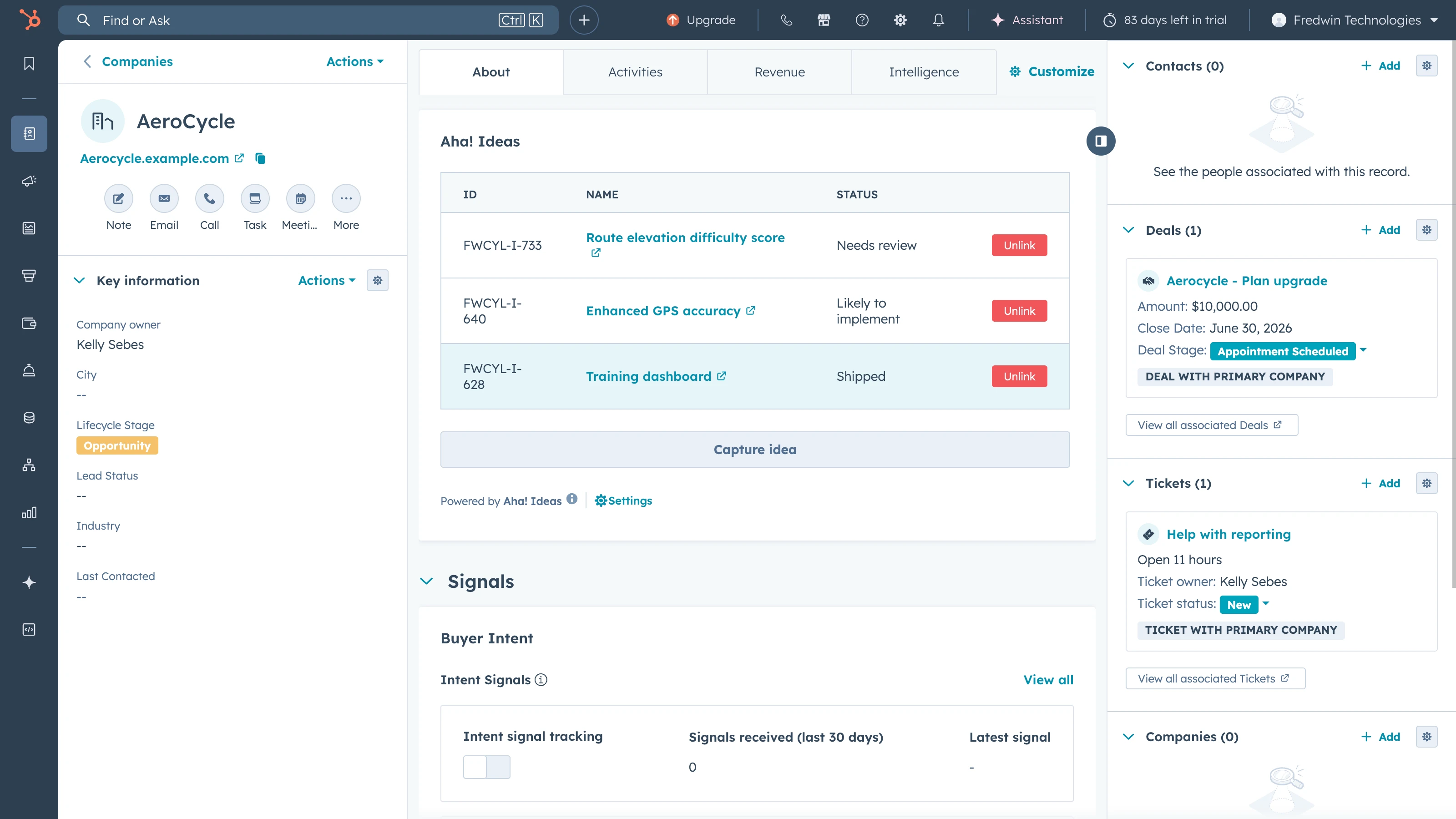
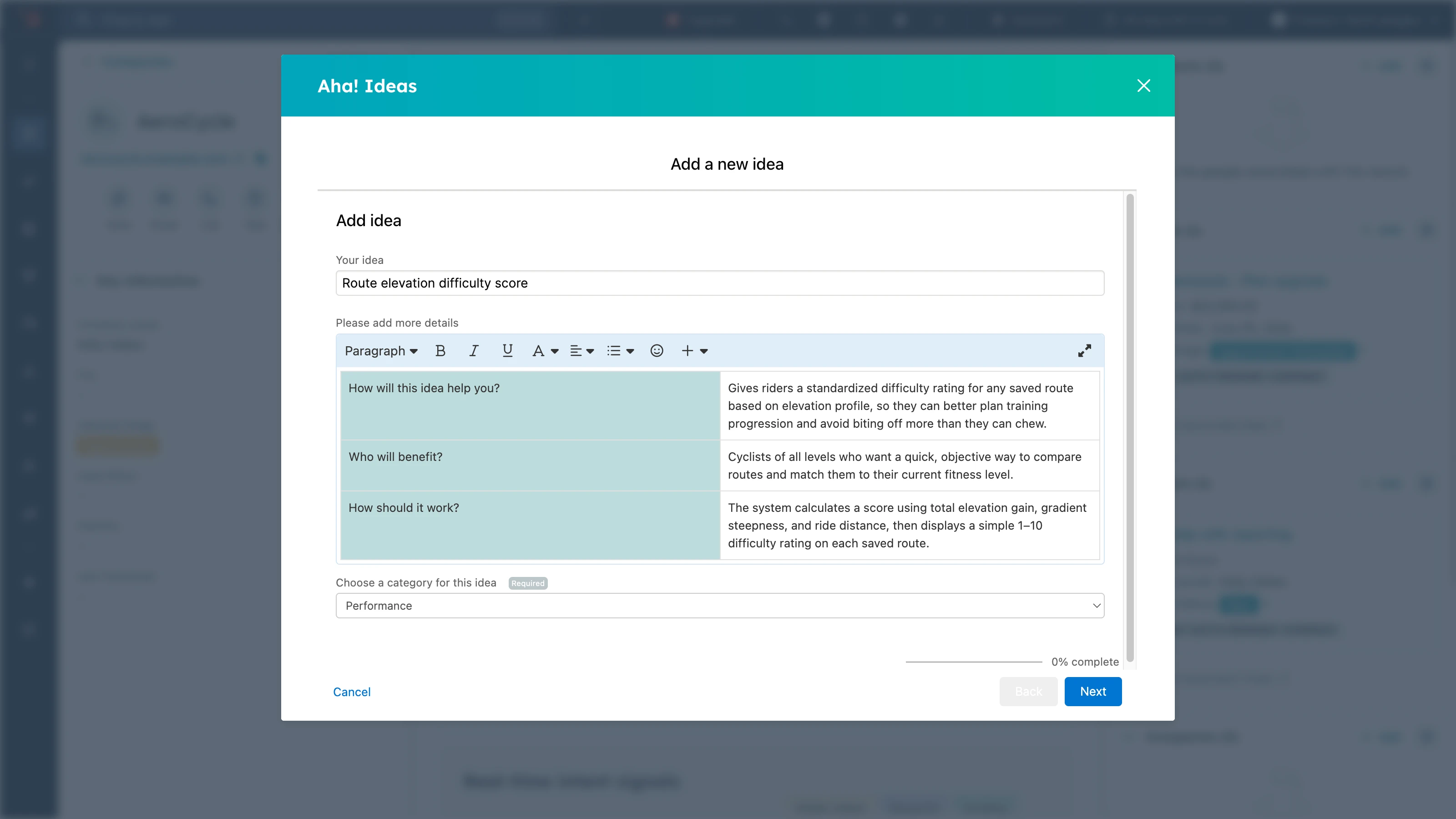
Capture requests in context
Sales and support teams can create a new idea or link to an existing one directly from HubSpot company, deal, and ticket pages. They can add context right at the point of capture — such as the customer need and urgency — so product managers receive richer, more actionable feedback without any back-and-forth.
Prioritize high-impact ideas
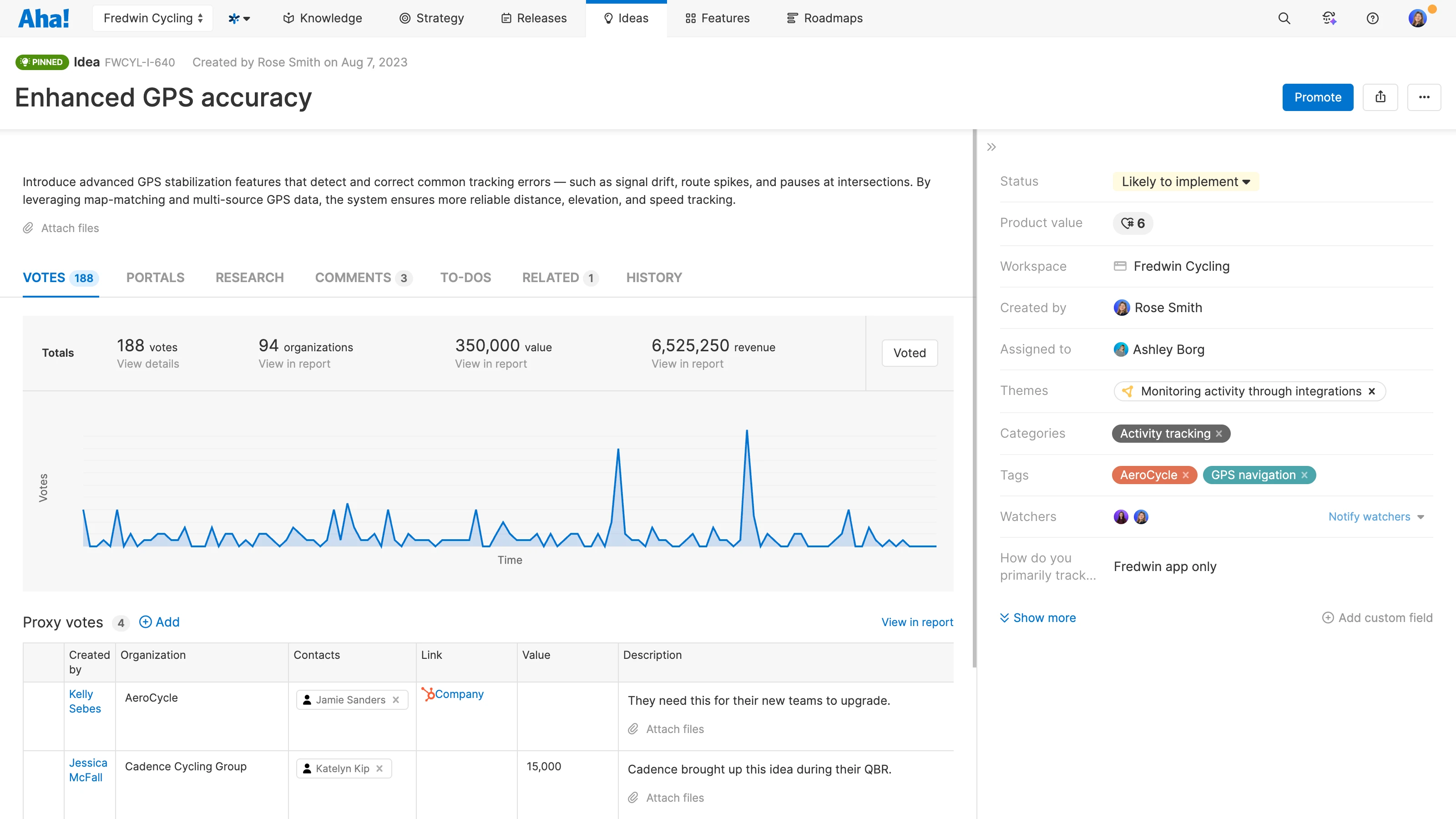
See which customers requested each idea and the total deal value. Map HubSpot company fields to organizations in Aha! Ideas so you can sync helpful data about the customers behind the feedback. This makes it easier to prioritize ideas based on impact (and not just the loudest voices). When it is time to communicate back to customers, you will know exactly who asked for what and why it matters.
Keep everyone up to date
As you make progress on ideas, the status stays synced across tools — so you can keep sales and support automatically informed. Teammates can see whether an idea is planned, in progress, or shipped without leaving HubSpot. And they can follow up with customers to share the good news.
Keep your whole team aligned
Connect more conversations with Aha! Ideas so you can centralize product feedback in one place. Pair this integration with our automated feedback collector — powered by Elle, the AI assistant built into Aha! — to detect feature requests across other customer-facing tools and log them as ideas automatically.
The HubSpot integration is included in the Aha! Ideas Advanced plan. It is available as a standalone solution or as an upgrade to any Aha! Roadmaps plan. If you are not already an Aha! customer, sign up for a 30-day free trial or request a demo with one of our product experts. You can also enable a free trial of Aha! Ideas Advanced in your existing Aha! Roadmaps account.
To get started, add the HubSpot integration in Aha! Ideas:
In Aha! Ideas, go to the User menu Settings Account
Click the + icon next to Integrations
Select HubSpot from the list of available integrations
Then, configure the app in HubSpot:
In your HubSpot settings, go to Connected Apps
Select Aha! Ideas and click Manage locations on the App cards tab
For each location, click the Customize option
Add the Aha! Ideas card to the layout
Remove any Ideas association cards that might have been added automatically
Once you complete the setup, HubSpot users see an Aha! Ideas panel on the HubSpot records you configured. The panel shows linked ideas and provides controls to create or link ideas from HubSpot.
Read our support documentation for more details. Contact our Customer Success team at support@aha.io for help setting up your integration.
HubSpot is an AI-powered customer platform built for scaling companies. With more than 288,000 customers across the Americas, Europe, and Asia Pacific, HubSpot helps go-to-market teams attract, engage, and retain customers at every stage of the funnel. For help with your HubSpot account, visit HubSpot Support or reach out to their team directly.