Turn support conversations into product insights
Your support team hears from customers every day. Help them capture insights as actionable product ideas. With this bi-directional integration, agents can log customer requests directly from tickets and chats into your ideas portal without switching tools. Status updates reflect back in Freshdesk as ideas move forward.
Gain even more customer insights using the feedback collector. Elle, our AI assistant, detects feature requests in Freshdesk conversations and automatically logs them as ideas for consideration.
Understand customer needs
With the Aha! app installed, support teammates can search for relevant ideas in Aha! software and link a ticket — adding a proxy vote on the customer's behalf. The integration searches idea names and descriptions to surface the best matches, making it easy to find what already exists.
Capture new requests
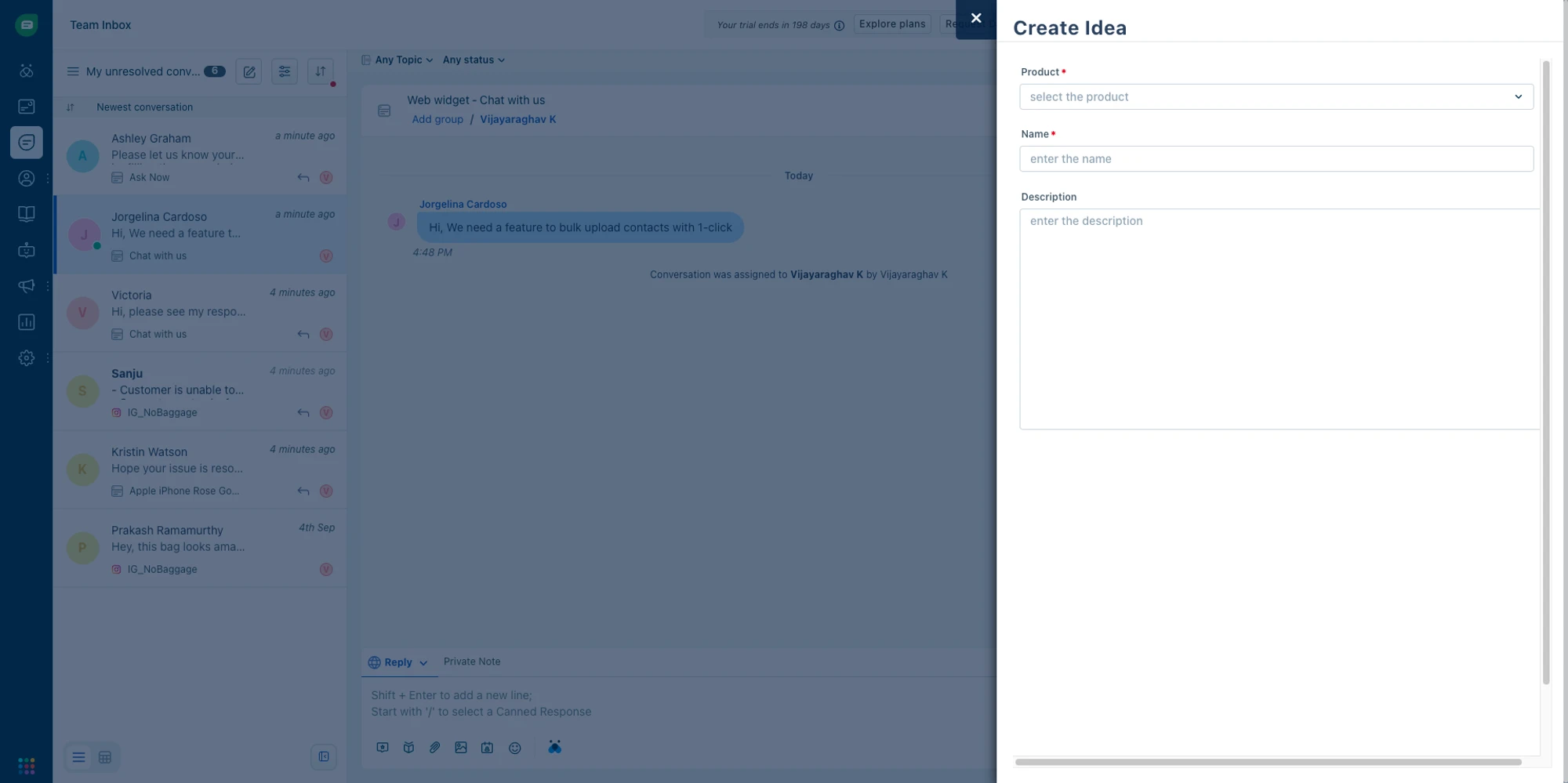
When a customer request is unique, agents can create a brand-new idea directly from the ticket in Freshdesk or a chat window in Freshchat. Fill out key fields (like the relevant product, idea name, and description) that map to corresponding idea record fields in Aha! software.
Automate status updates
Keep support teammates in the loop. When an idea's status changes or is shipped in Aha! software, the requester can see the update in Freshworks.
How to integrate
Follow these steps to configure the Freshworks integration in Aha! Roadmaps or Aha! Ideas. Make sure that you have Aha! administrator permissions and owner access to the workspace(s) and records you want to use for the integration.
Go to Admin Apps
Search for Aha!
Click Install
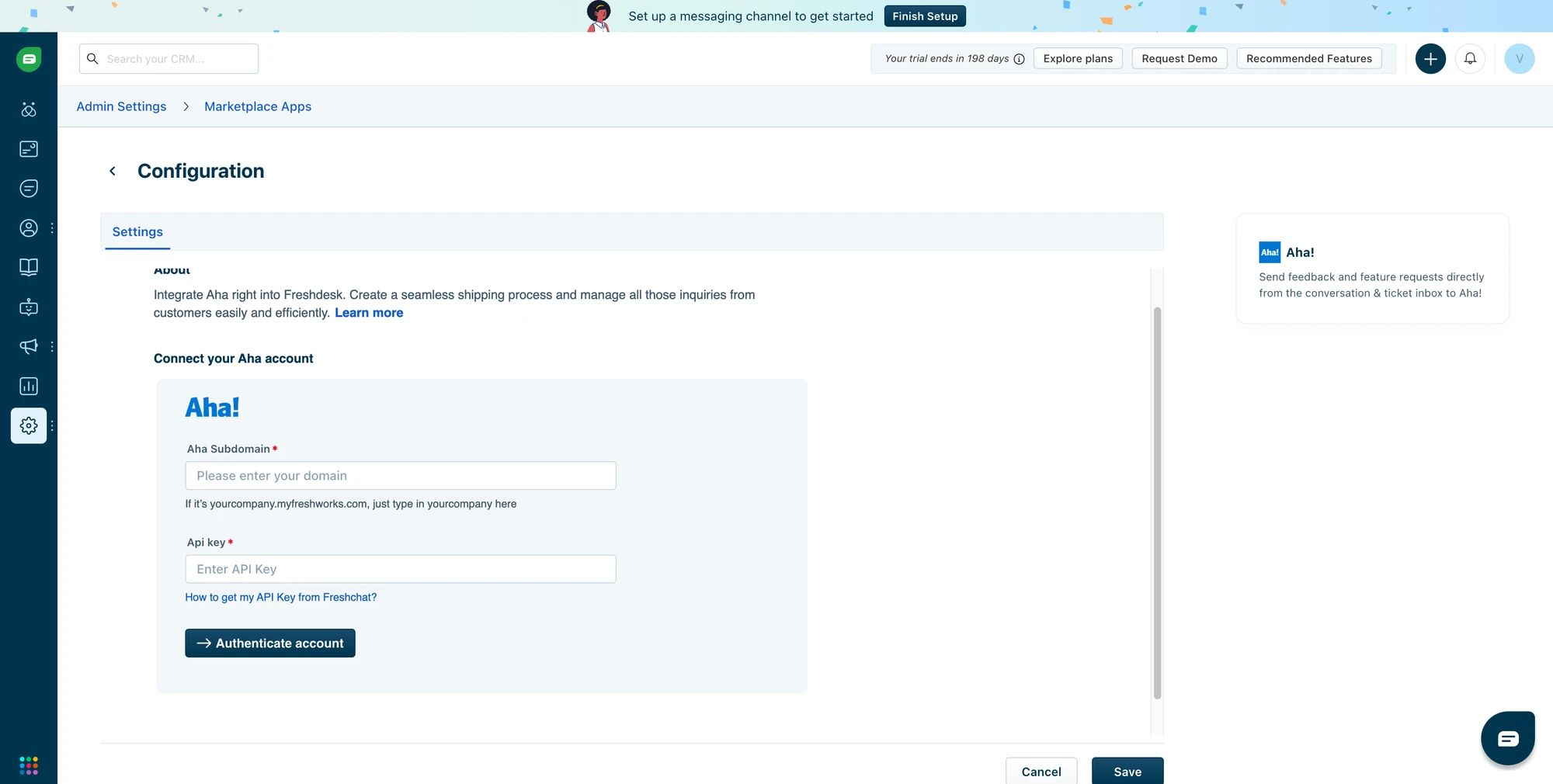
Enter your Aha! domain (e.g., "example.aha.io")
Enter your Aha! API key
Click Authenticate account (agents will be able to link to and create ideas in all workspaces, according to the user's Aha! Ideas permissions)
Set Create ideas as requestor (if desired). If this is enabled, the customer will be the idea's creator and will be added to the first ideas portal in the workspace.
Read Freshworks' documentation for detailed instructions and a full list of available actions. You can also see more details on how to set up this integration in our support documentation. Or contact our Customer Success team at support@aha.io.
Freshworks is a global software company that makes it easy for businesses to delight their customers and empower their employees. Founded in 2010 and headquartered in San Mateo, California, Freshworks serves over 67,000 companies worldwide with a suite of intuitive, AI-powered products spanning customer support, IT service management, sales, and marketing.
If you need help with your Freshworks account, visit the Freshworks support page.