Add multiple scorecards to a feature in Aha! Roadmaps.
Track the value of a feature from discovery to delivery with multiple scorecards


What is the value of a new feature? You are working with limited information early on. Then scope gets clearer, customer feedback comes in, and you understand the real delivery costs. You see how people actually use it after launch. Each phase gives you better insights, and now you have a better way to capture them.
Add multiple scorecards to a single feature in Aha! Roadmaps — to track potential impact at different stages of the product development lifecycle.
Track value across different phases
First, a quick refresher: The product value scorecard gives teams a consistent way to assess and prioritize work based on its potential value. You evaluate expected impact, importance, and strategic alignment against the effort required. Use our default formula or create your own.
You could already apply a scorecard to any record type (initiatives, ideas, epics, or features) and update it as work moves through your process. What is new is that you can now add multiple scorecards to a single record. That means you can capture and compare how estimated value changes at different stages.
Here is what you can do:
Estimate impact early: Use one scorecard during discovery when information is limited.
Refine as work takes shape: Use another scorecard during planning as details become clearer.
Assess impact after release: Measure the value delivered after you ship the feature.
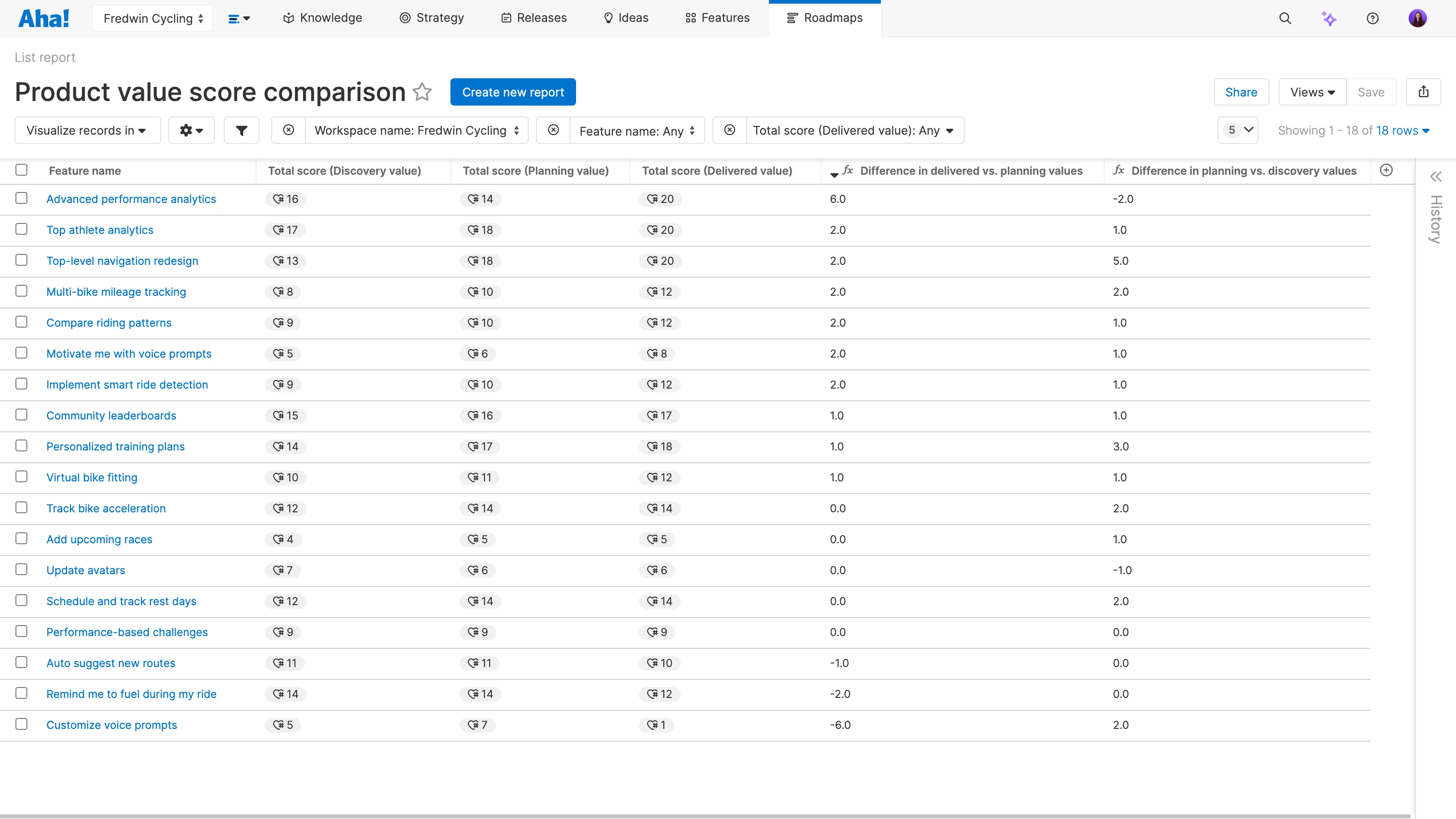
Define an approach that fits your organization and apply it across the lifecycle. Then, use reports with each score to compare how value shifts from early estimates to delivered results.
The ability to add multiple scorecards to a record is available for customers on the Aha! Roadmaps Enterprise+ plan. This plan is for organizations that demand the most sophisticated capabilities and a hands-on level of support from our Product Concierge team.
How to get started
To create a new scorecard, head to Account settings Customizations Scorecards.
Add your scorecards to the desired record types in Workspace Configure Scorecards.
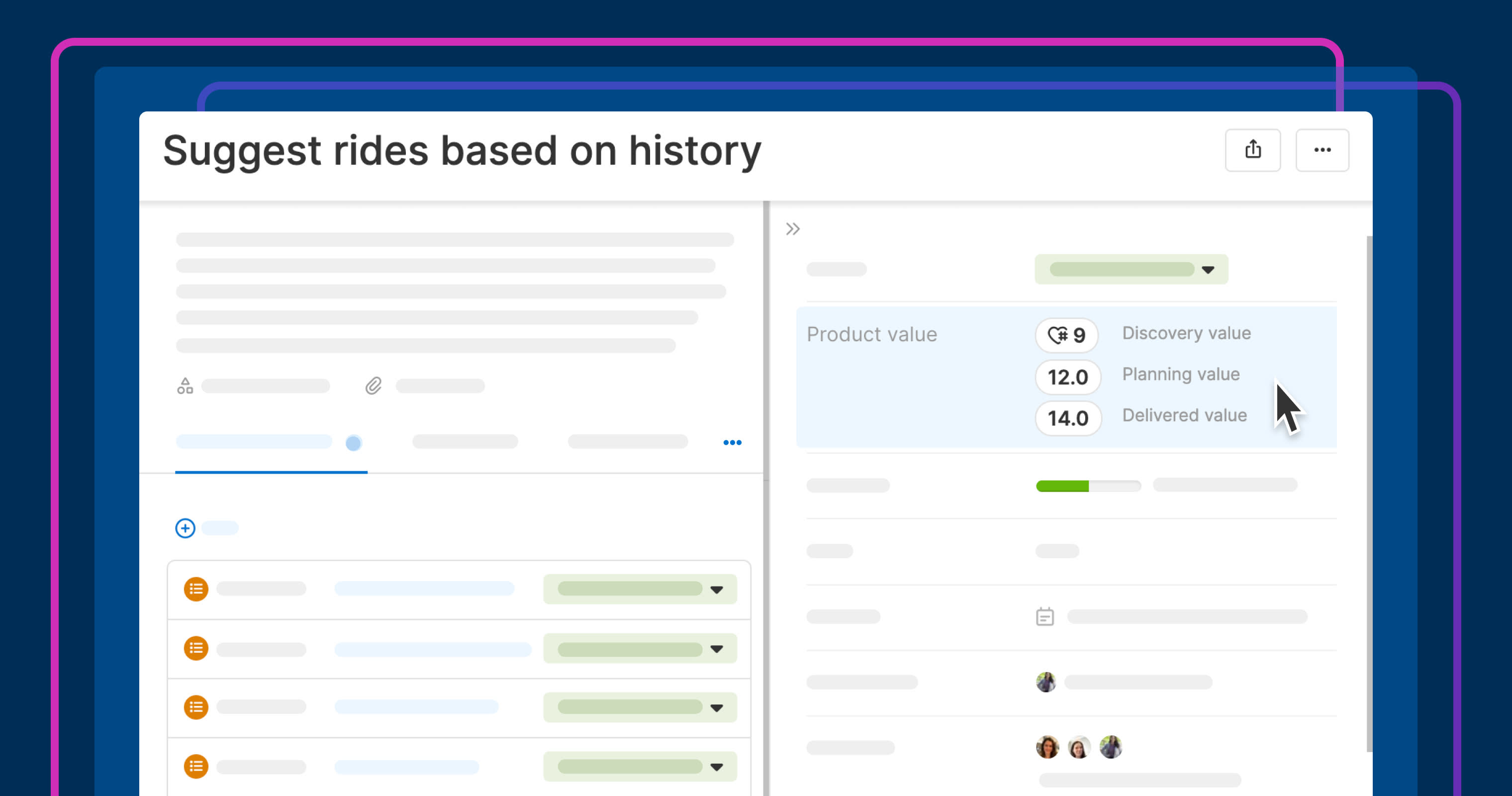
Open a record to see your selected scorecards in the Product value field.
Click a score to update any of the metrics.
Add columns to a list report to compare each score across records.
📚 For more details, read the full support article.
When you can see how your estimates changed, you can prioritize more confidently and report more clearly. You understand the impact of what shipped — and use that to inform what comes next.
Upgrade to the Aha! Roadmaps Enterprise+ plan
Aha! Roadmaps is the best way to set strategy, prioritize features, and share visual plans. Choose Aha! Roadmaps Enterprise+ if you need the most sophisticated capabilities, advanced levels of support, security and backup features, and ongoing concierge services. Please contact us if you would like to schedule a live demo and learn more.