
Bring your product data directly into ChatGPT
Use the Aha! MCP server to connect ChatGPT to your Aha! account. This enables you to access your product planning information, giving ChatGPT valuable context when drafting text or conducting basic research. For deeper product work, use Elle, the Aha! AI assistant, to summarize, analyze, and act on product data directly in Aha! software.
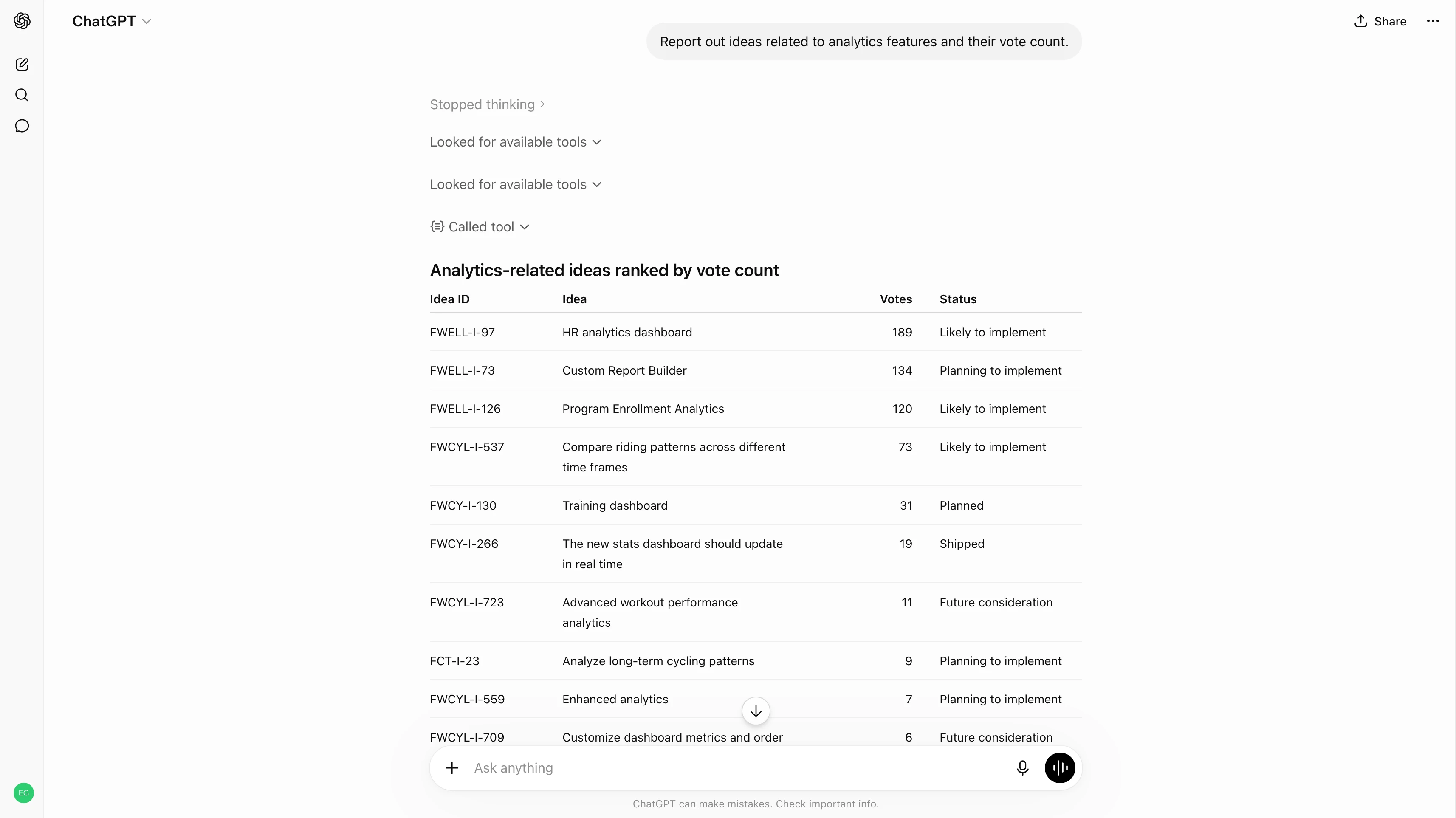
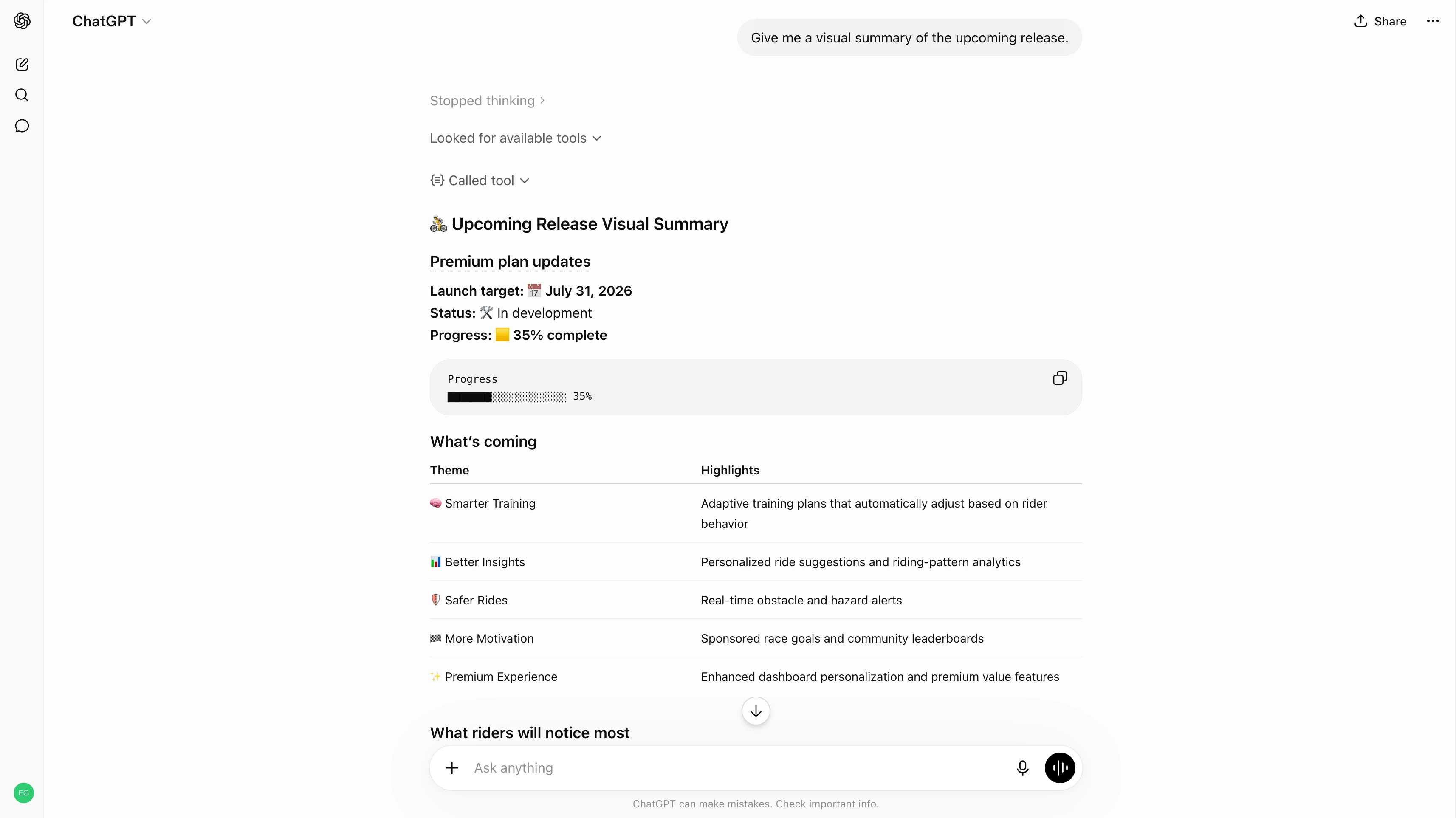
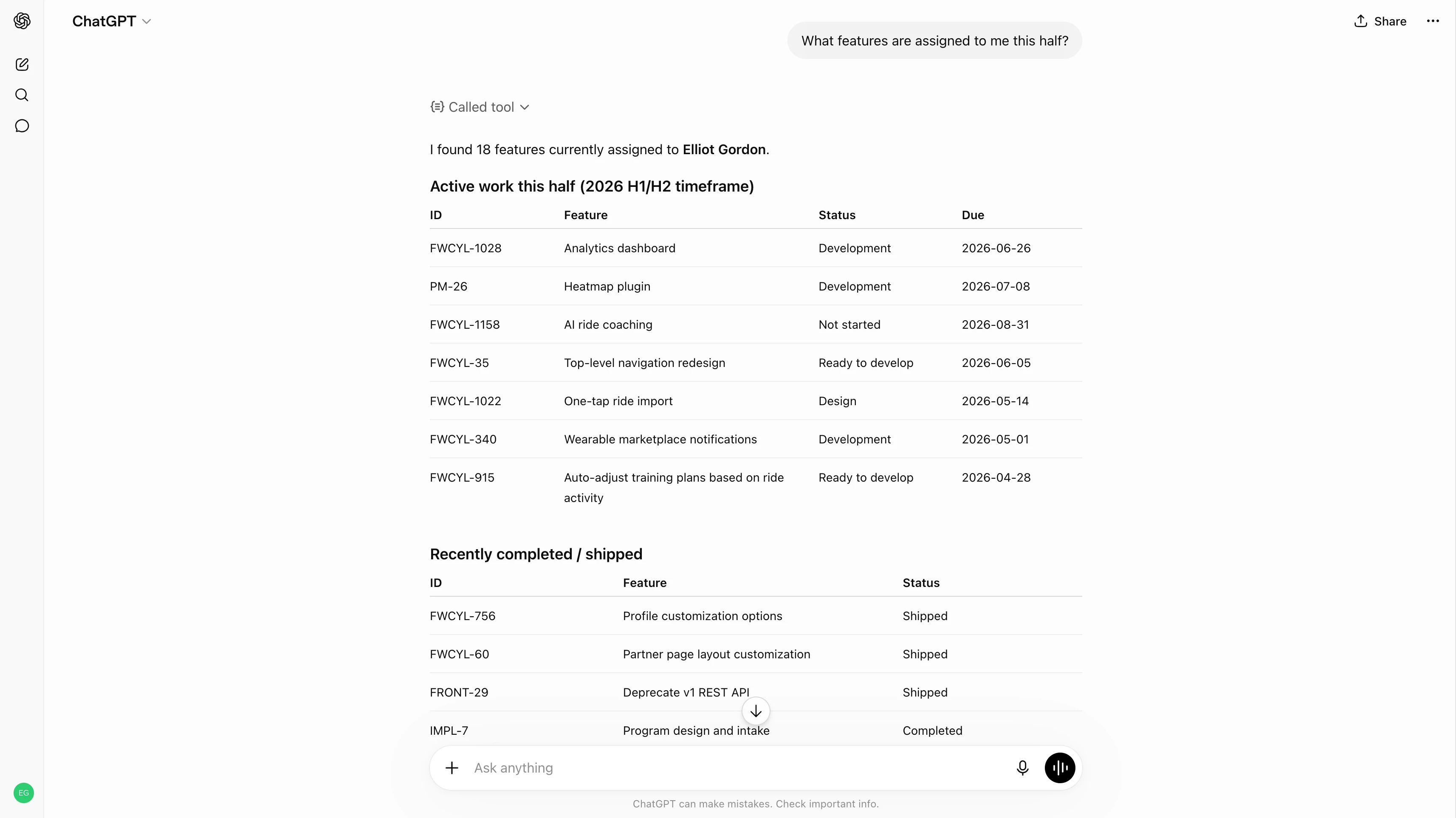
Aha! software provides a remote MCP server built on the Model Context Protocol (MCP) open standard. This enables you to connect any AI assistant that supports MCP, such as ChatGPT, directly to your Aha! data so you can:
Work from your source of truth
ChatGPT can retrieve records from Aha! software — including goals, initiatives, features, requirements, and releases — and use them as context for any prompt. You can also create and update records from ChatGPT by enabling edit access in your account's AI controls settings.
Understand plans, priorities, and progress
Bring strategic plans from Aha! Roadmaps into ChatGPT. Check the status of a feature, summarize progress across initiatives, or prepare updates for stakeholders. The Aha! MCP server queries live data, so you are always working from the current state of your plans.
Put customer insights to work
Reference interview transcripts, studies, and reports from Aha! Discovery directly in ChatGPT. Summarize findings and identify recurring themes. Then, use customer insights to inform your decision-making.
Analyze feedback trends
Access customer feedback from Aha! Ideas in ChatGPT to identify trends, review requests by customer segments, and summarize common themes. Quickly understand what customers are asking for and bring those insights into prioritization discussions.
Move work forward faster
Give ChatGPT delivery context from Aha! Develop or Aha! Teamwork. Review requirements for completeness, draft technical documentation from feature descriptions, or break down work into smaller items. The result is faster, more accurate output because it is based on your actual backlog.
The Aha! MCP server is enabled by default with view access in all Aha! software accounts. Account administrators can enable or disable view and edit access in your AI controls settings.
Individual owners and contributors in Aha! software can connect with the Aha! MCP server by creating a custom app in ChatGPT:
In ChatGPT, go to Settings Apps Advanced settings and enable Developer mode.
Create a new app and paste your Aha! MCP server URL:
https://[your-aha-domain].aha.io/api/v1/mcpAuthenticate with your Aha! account when prompted.
Start querying in natural language. You can access any record you have permission for in Aha! software.
For step-by-step instructions, see our remote MCP server setup guide in the Aha! knowledge base. If you need help getting set up, contact our Customer Success team at support@aha.io.
ChatGPT is an AI assistant developed by OpenAI, an AI research company founded in 2015. It helps you draft text, conduct research, analyze information, and automate repetitive tasks using natural language. ChatGPT is available for individuals or as a workplace platform for teams and enterprises.
If you need assistance with your ChatGPT account or subscription, visit OpenAI's help center.
See more integrations
See all Aha! integrations
Claude Code
Send features directly from Aha! Develop to Claude Code
Learn more
GitHub Copilot
Send work from Aha! Develop to your Copilot coding agent
Learn more
Slack
Create records from Slack messages and share updates
Learn more
Salesforce
Link customer opportunities and support cases directly to ideas
Learn more