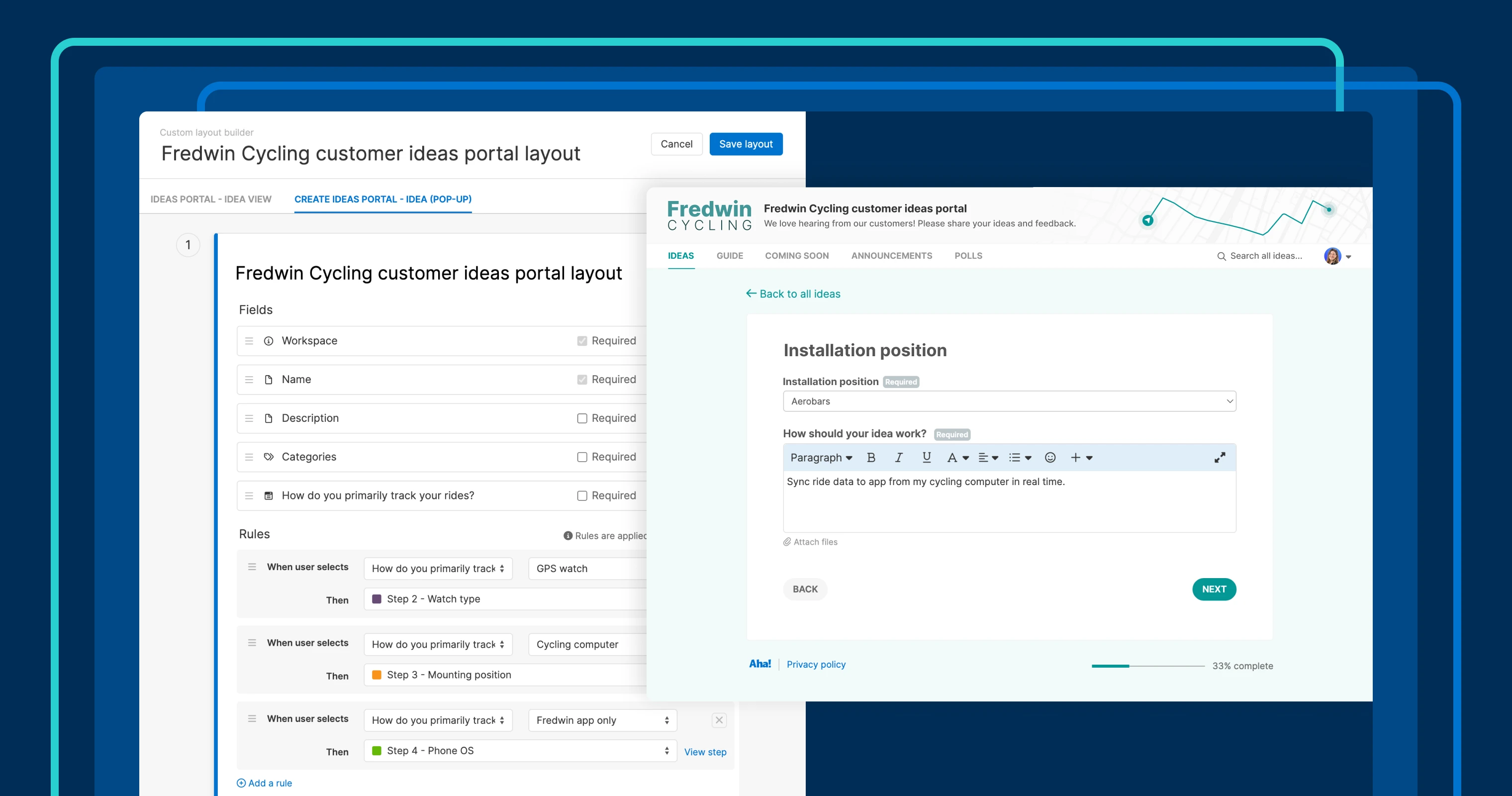
Dynamic idea submission forms in Aha! Ideas Advanced help you gather customer feedback efficiently.
Streamline how you capture customer ideas with improved dynamic forms


Customer feedback fuels your roadmap. But how you collect it determines what kind of requests you actually get — and how much work your team has to do later to make sense of it.
Dynamic forms already let you tailor what people see based on the details they share in your ideas portal. But some questions need to appear in more than one path.
Now, you can reuse questions across dynamic form paths in Aha! Ideas — so you get the details you need without duplicating work.
Streamline your idea submission flow
If you use dynamic forms today, you already route people down different paths based on what they select. A simple example: You ask whether their idea is meant for "Phone" or "Laptop" devices. Each answer leads to a different set of follow-up questions.
But some questions are universal. You still want everyone to answer something like, "How should your idea work?" Before, that meant adding the same field in more than one place and keeping those duplicates in sync. But you can now add it once and reuse it wherever it belongs.
Create tailored idea forms: Use conditional rules to show only relevant questions.
Collect key details from every user: Reuse essential fields across paths.
Review ideas more efficiently: Skip managing duplicate fields with the same data.
The result is a form that stays focused for the person submitting it — and stays consistent for the team reviewing what comes in.
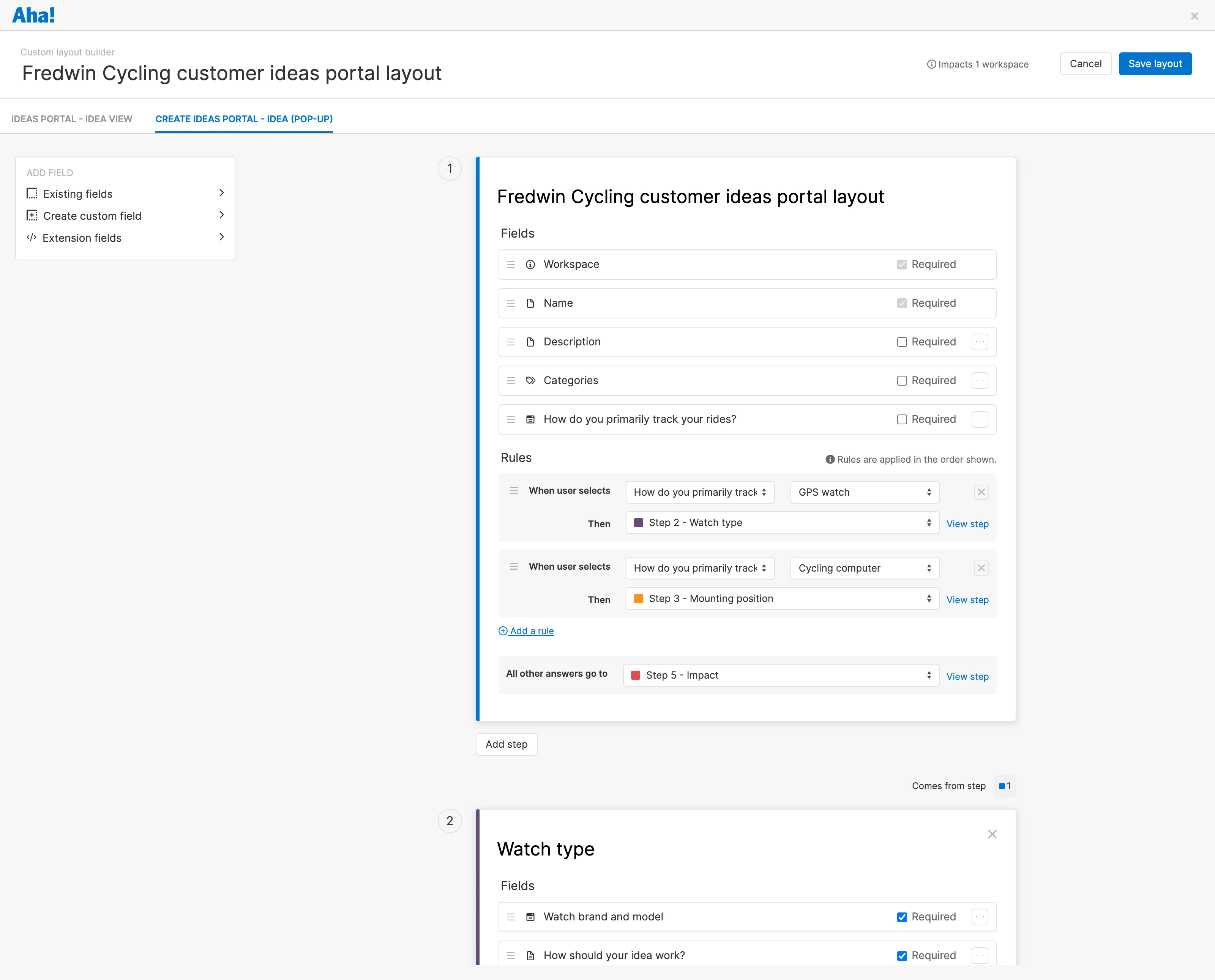
Here is an example of a dynamic ideas form layout:
The updated dynamic form experience is available for all Aha! Ideas Advanced customers.
Let's explore how it works:
How to get started
Create a new custom idea form layout or edit an existing one.
Add as many steps as you need, and include the appropriate fields for each step.
Use conditional rules to define what will happen when a user completes a field with a specific value.
Save your layout, then test it on your ideas portal.
📚 For more details on using dynamic idea submission forms, read the full support article.
When customers share ideas, you want to get the right details without making the process harder for them or your team. Reusing the same question across different paths helps you do exactly that. If you are already using dynamic forms, this update simplifies your setup. And if you are new to them, this is a great reason to start.
Upgrade to the Aha! Ideas Advanced plan
Aha! Ideas is the best way to crowdsource feedback, engage the community, and analyze trends. Choose Aha! Ideas Advanced if you need the most sophisticated capabilities — such as the Salesforce integration (and similar tool integrations), AI idea exploration and analysis, and dynamic forms. Start a free trial of Aha! Ideas to access all the advanced features, and please contact us if you would like to add it to your Aha! Roadmaps plan.