
Integrate with Microsoft PowerPoint
Keep your presentation up to date as plans evolve
Present roadmaps that stay up to date
Product teams build plans in Aha! Roadmaps, but many organizations rely on Microsoft PowerPoint to share those plans with customers and colleagues. The Aha! Roadmaps for PowerPoint add-in bridges that gap. Embed live views of your strategy, roadmap, and reports directly into your slides. This ensures your presentations are never out of date — saving you hours of time.
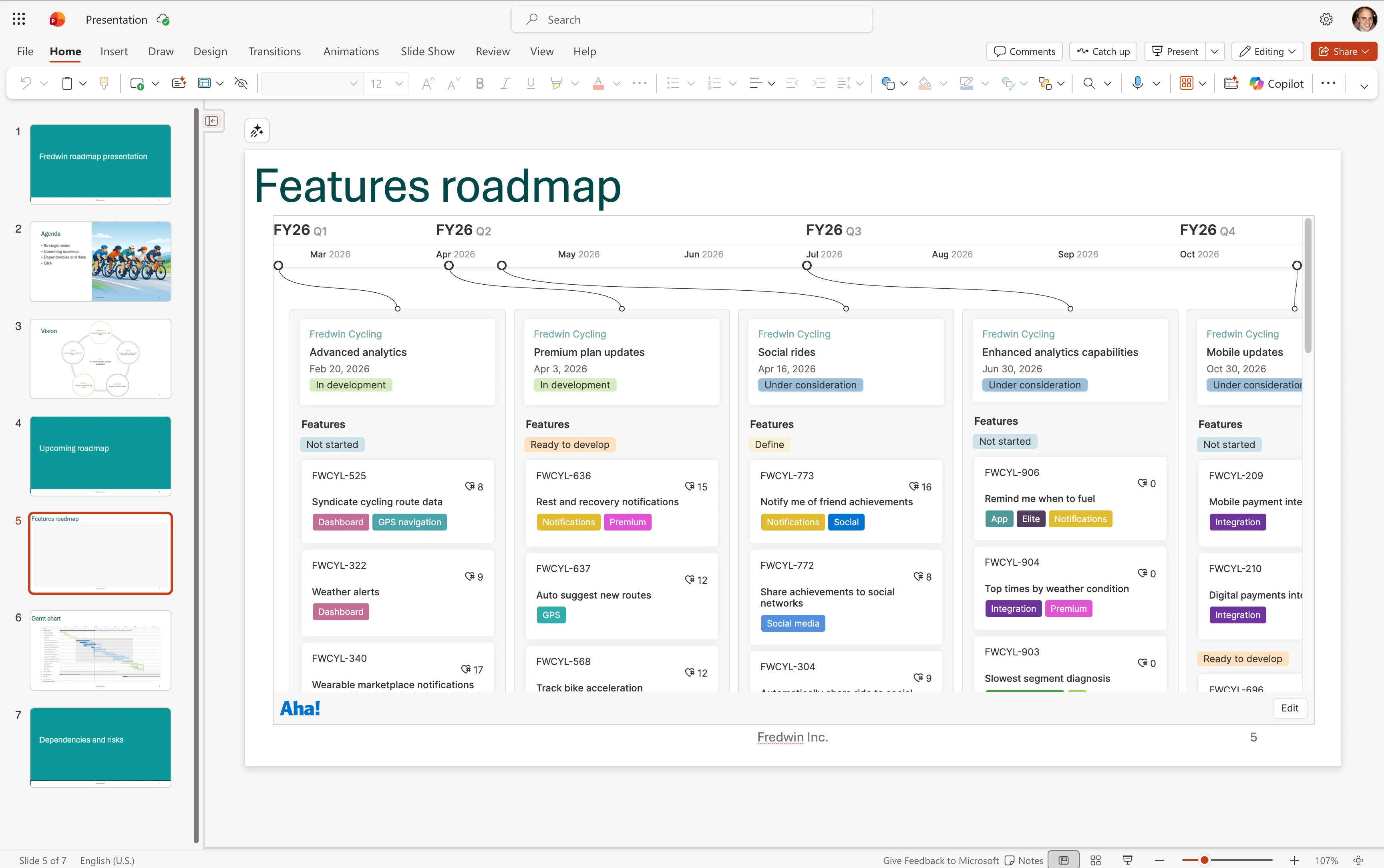
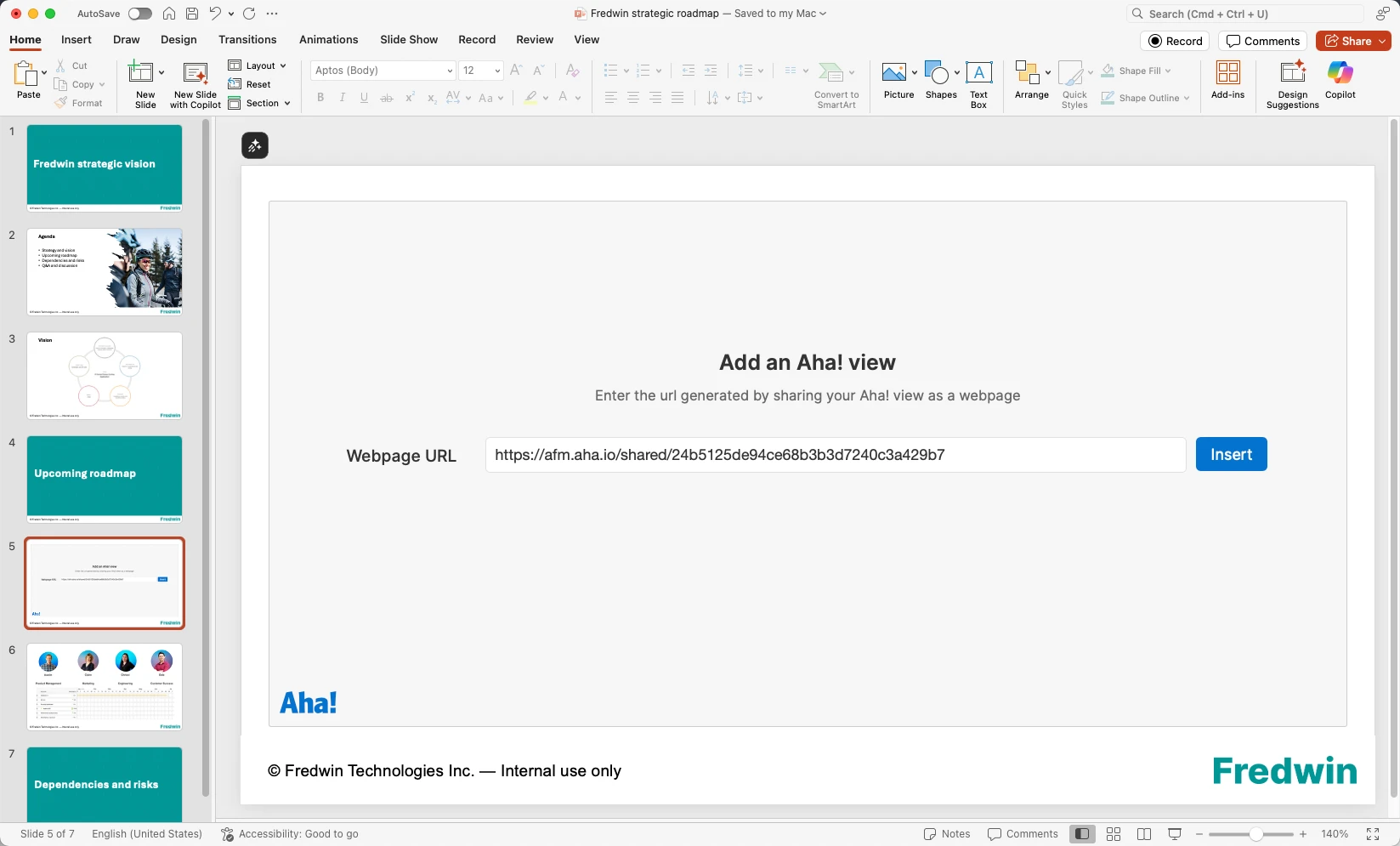
Embed roadmap views
Share views in Aha! Roadmaps as a webpage. Then, use the native PowerPoint add-in to include them in your presentations. Insert any roadmap, report, or chart directly into a slide without having to export images or recreate content. This makes it super easy to showcase your brilliant plans.
Keep presentations current
The add-in automatically keeps embedded views in sync with your planning data in Aha! Roadmaps. Any changes to your roadmap automatically display on your slides. You no longer have to worry about version control, as your presentation always reflects the most recent information.
Share the right information
Tailor each presentation to your audience members by sharing only what they care about. Control the details you include in each roadmap view, adding filters to focus on what matters and enabling drill-ins when deeper context is helpful.
To embed a view into PowerPoint:
Open your saved roadmap or report in Aha! Roadmaps
Enable Share as webpage. (You must complete this step before embedding the view.)
In PowerPoint, install the Aha! Roadmaps for PowerPoint add-in
Authenticate with your Aha! credentials. (You will only need to do this once.)
Paste the shared view URL and click Insert
Resize the view to fit your slide layout
Read our support documentation for step-by-step details on how to install the Aha! Roadmaps for PowerPoint add-in. Or contact our Customer Success team at support@aha.io for help.
PowerPoint is a presentation software application used to create and share slide-based content. Developed as part of the Microsoft 365 suite and first released in 1987, PowerPoint helps individuals and teams communicate ideas through visual storytelling, structured layouts, and multimedia elements. It is widely used across business, education, and research settings.
PowerPoint is available through Microsoft 365 subscriptions for individuals, businesses, and enterprise organizations, with access across desktop, web, and mobile devices. If you need help with your PowerPoint account, visit the PowerPoint help & learning page.